How to Make an ATS Friendly Resume (Templates & Guide)

Our customers have been hired at: *Foot Note


Table of Contents
Get started with MyPerfectResume today!
- Build a resume on any device
- Pick an ATS-friendly template
- Tailor with AI copy suggestions
What to Expect
- An ATS-friendly resume uses a simple format, standard section headings, readable fonts, and relevant keywords to make your qualifications easier for ATS to read.
- ATS software can scan for information such as skills, job titles, education, certifications, and work experience, but different systems evaluate resumes differently.
- Formatting choices such as graphics, tables, multiple columns, and unusual fonts can make it harder for some ATS tools to extract resume information accurately.
- A strong ATS-friendly resume balances machine-readable formatting with clear, relevant content that helps recruiters understand your qualifications.
Applicant tracking systems (ATS) help employers organize, store, and screen candidate information. An ATS-friendly resume presents your skills, experience, and qualifications in a clear, consistent format that makes the information easier for these systems to parse.
In this guide, you’ll learn how to create an ATS-friendly resume, avoid common formatting mistakes, and tailor your content to the job description. You’ll also find expert tips and ATS-friendly resume templates to help you build and optimize your application.
What Is an ATS Resume?
An ATS resume uses simple formatting, standard section headings, common fonts, clear job titles, and relevant keywords so ATS software can parse, organize, and match your qualifications more reliably.
Avoid graphics, tables, multiple columns, and unusual design elements that can make your resume harder for an ATS to read, and incorporate keywords from the job description.
This helps ensure automated screening tools accurately capture your skills, experience, and other important information that highlights your fit for the role.
To get past the ATS, tailor your resume with relevant keywords and skills from the job description.
—Dr. Jasmine Escalera, Career Expert
How Does ATS Software Work?
ATS software reads and organizes resume information, then may filter, search, or rank candidates based on employer-defined criteria. Because ATS tools vary in how they evaluate resumes, there’s no universal score that guarantees you’ll pass screening.
Common keywords an ATS may scan for include:
- Skills such as coding, leadership, and interpersonal skills
- Certifications such as “BLS Certified” or “PMP”
- Education such as a BA in Communications, a PhD, or a GED
- Former employers like Microsoft, Apple, or Google
- Work history like marketing, sales, or customer service experience
- Job titles such as “Project Manager” or “Registered Nurse”
- Action verbs like “managed,” “implemented,” and “collaborated”
Some ATS tools use more advanced matching methods that consider the context in which skills and qualifications appear, rather than simply looking for individual keywords. For example, a resume that says “Managed a team of 10 nurses” provides more context about management experience than simply listing “management” under skills.
Keyword placement may also matter in some systems, so include relevant terms naturally in sections such as your professional summary, skills, and work experience.
How to Make an ATS-Friendly Resume
To make an ATS-friendly resume, tailor your content to the job description by highlighting relevant skills and qualifications. Use keywords naturally throughout your resume to help ATS software identify your qualifications and their relevance to the position.
Step 1
Review the Job Description
Start by reviewing the job description to identify the skills, qualifications, job-specific terms, and responsibilities the employer emphasizes. Pay particular attention to requirements that appear multiple times or are listed as essential. These terms can help you decide which keywords and experiences to emphasize when you write your resume.
For example, consider this sample job description for a software engineer role. The bolded words and phrases are potential keywords you could include in your ATS resume template:
Sample Job Description

Role:
Own the technical execution of three cutting-edge web products. Champion best practices—Agile, version control, and user experience. Collaborate with the development team to plan, coordinate, and deliver according to a high-level product roadmap.

Responsibilities:
- Create themes from scratch in HTML based on requirements.
- Understand development best practices and be able to work out and create solutions based on uninformed and sometimes unclear briefs.
- Perform continual maintenance checks to ensure optimal site performance.
- Perform browser compatibility assessments.

Required Skills:
- Should possess expertise in WordPress and HOOKS concepts.
- Decent exposure to WordPress Hierarchy structure.
- Have experience building user interfaces for websites and web applications.
- Well-versed in HTML, MYSQL, JavaScript, and jQuery.
Step 2
Match Your Qualifications to the Job Requirements
After identifying keywords in the job description, match them to your qualifications, including relevant hard skills, soft skills, industry expertise, and hands-on work experience.
An effective ATS-friendly resume is more than a collection of keywords; the skills and experience you highlight should accurately reflect your ability to perform the job.
Career expert Toni Frana explains, “Highlighting the key skills mentioned in the job description will help your resume stand out from other applicants.” Use those key skills throughout your resume where they genuinely apply, and reinforce them with specific examples of how you’ve used them in your work.
Step 3
Incorporate Keywords Throughout Your Resume
Use relevant keywords naturally throughout your resume, especially in your professional summary, skills, work experience, and certifications sections. The following examples show how to integrate keywords into a resume for the sample job description above.
Professional Summary
Create an ATS-friendly resume summary by including keywords that relate to your job-relevant skills and achievements, and the number of years you’ve been in your field.
Let’s use the software engineer job above. Take a look at this resume summary example:
Detail-oriented web developer with 5+ years of experience designing and maintaining responsive, high-performance WordPress websites. Proven expertise in developing custom themes from scratch using HTML, JavaScript, and jQuery, while leveraging WordPress Hooks and adhering to the hierarchy structure. Skilled in Agile development, version control, and collaborative delivery aligned with product roadmaps. Adept at regular maintenance and browser compatibility assessments to ensure a seamless user experience.
Work History
When writing your employment history for an ATS-friendly resume, detail the tools, programs, expertise, and technical skills you used to achieve goals for the companies you worked for.
Let’s continue with the same example to create a work experience section:
Web Developer
Digital Spark Media | Remote
March 2024–Present
- Lead the technical execution of high-traffic WordPress-based web products, building custom themes from HTML, CSS, and JavaScript for three products based on evolving product requirements.
- Apply advanced knowledge of WordPress Hooks and core architecture to create modular, maintainable site components, improving page load speed by 35%.
- Collaborate cross-functionally with product managers, UX/UI designers, and QA engineers to deliver features aligned with a strategic product roadmap using Agile methodologies and version control systems like Git.
- Conduct routine performance audits and implement solutions to optimize MySQL queries, reducing server response time by 40%.
Use a reverse-chronological format for your work history, listing your most recent position first and working backward. Frana explains that this format “gives employers a clear picture of the work you’ve done, when you did it, and what accomplishments you have relevant to the job they’re hiring for.”
Applicant tracking systems can parse your information more easily when it’s in chronological order.
—Toni Frana, Career Expert
Skills Section
This is the most straightforward section to add keywords to for an ATS-friendly resume. Create a resume skills section that includes skills listed in the job description.
For example:
- WordPress development
- HTML, CSS, JavaScript, jQuery
- WordPress Hooks & theme architecture
- MySQL
- Git & version control
- Agile methodologies
- Cross-browser compatibility
- Website performance optimization
Optional Sections
Use optional sections, such as “Projects,” “Volunteer Experience,” or “Certifications,” to highlight relevant qualifications that aren’t fully represented elsewhere.
Here’s an example volunteer experience entry that includes keywords from the sample job description:
Volunteer Web Developer
Code for Good Foundation | Los Angeles, CA
March 2024–September 2026
- Built and customized WordPress themes from scratch using HTML/CSS based on functional and design requirements.
- Applied WordPress hooks and template hierarchy concepts to create scalable, maintainable site architecture.
- Collaborated with a cross-functional development team using Agile methodologies to plan features aligned with a high-level product roadmap.
Use action verbs whenever possible to describe your qualifications and emphasize accomplishments in your ATS-friendly resume.
Formatting Tips for an ATS-Friendly Resume
Use a simple, consistent resume format that makes your information easy for ATS software to parse and easy for recruiters to scan. Choose standard headings, readable fonts, and a clear layout, and avoid design elements that can interfere with text extraction.
The following formatting tips can help keep your resume ATS-friendly:
- Keep the layout simple. Use a single-column format with clear section headings. Complex layouts, tables, graphics, and text boxes can confuse ATS and cause it to misread or skip important information.
- Keep contact information in the document body. Place your name, phone number, email address, and other essential contact details in the main body of the resume rather than a header or footer, where some ATS may have difficulty extracting them.
- Use standard section headings. Stick with familiar labels, like “Work Experience,” “Skills,” “Education,” and “Certifications,” to make it easier for ATS software to identify and categorize your information correctly.
- Choose an ATS-compatible font. Use common resume fonts such as Arial, Calibri, Helvetica, or Times New Roman. Avoid decorative or script fonts, which ATS software may struggle to parse accurately.
- Avoid images, icons, and graphics. Logos, charts, icons, and photos may look appealing, but often aren’t readable by ATS.
- Keep dates and job titles clear. List job titles and employment dates in a consistent, easy-to-scan format. This helps ATS software track your career timeline accurately.
- Use simple bullet points. Organize your accomplishments into clearly separated, easy-to-parse lines; avoid decorative icons, symbols, or custom graphics.
- Use standard file formats. Submit your resume in the format requested by the employer. If no format is specified, DOCX or a text-based PDF are generally good options; avoid scanned PDFs or image-based files.
ATS-Compliant Resume Templates
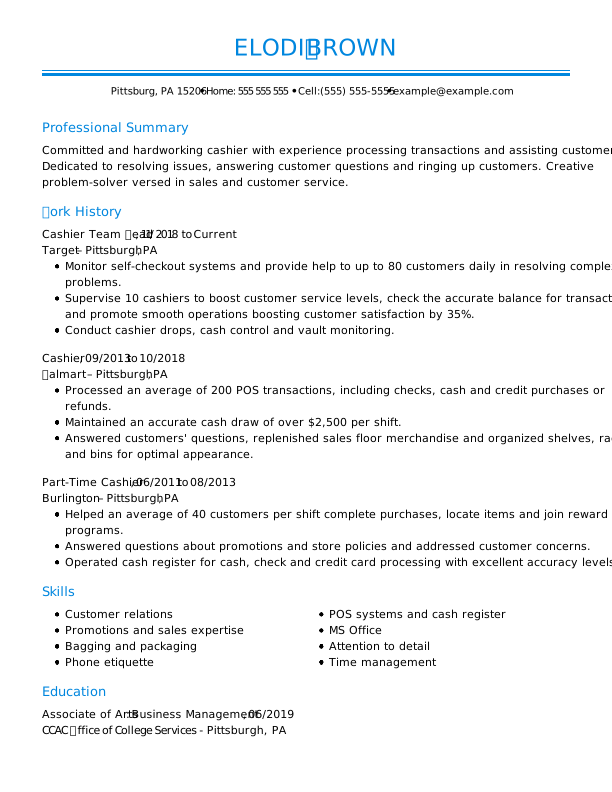
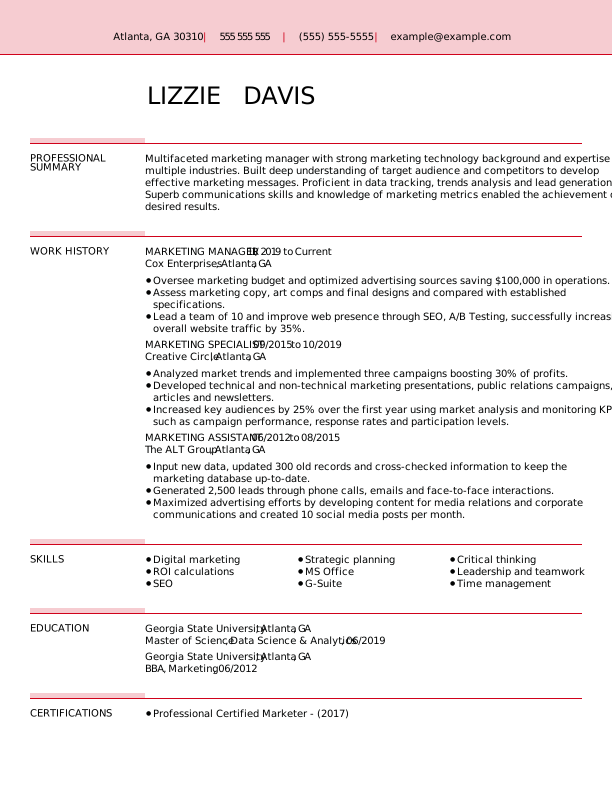
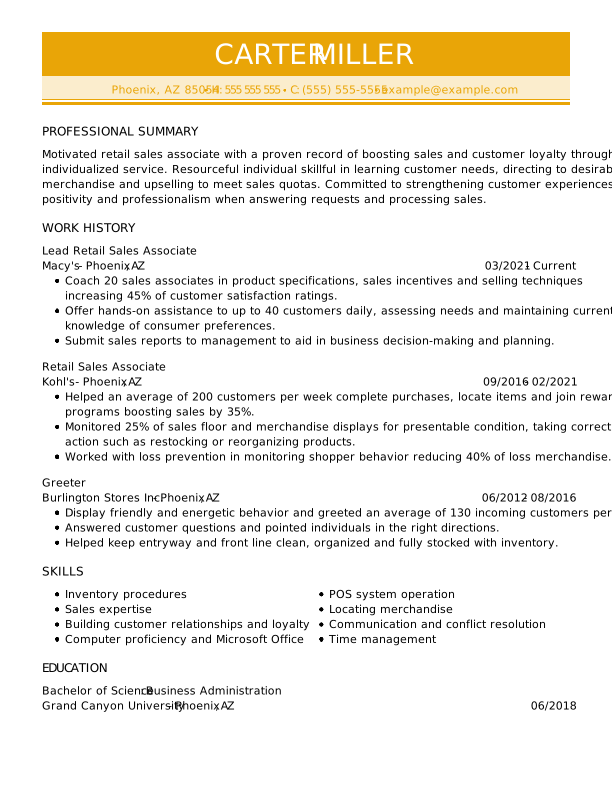
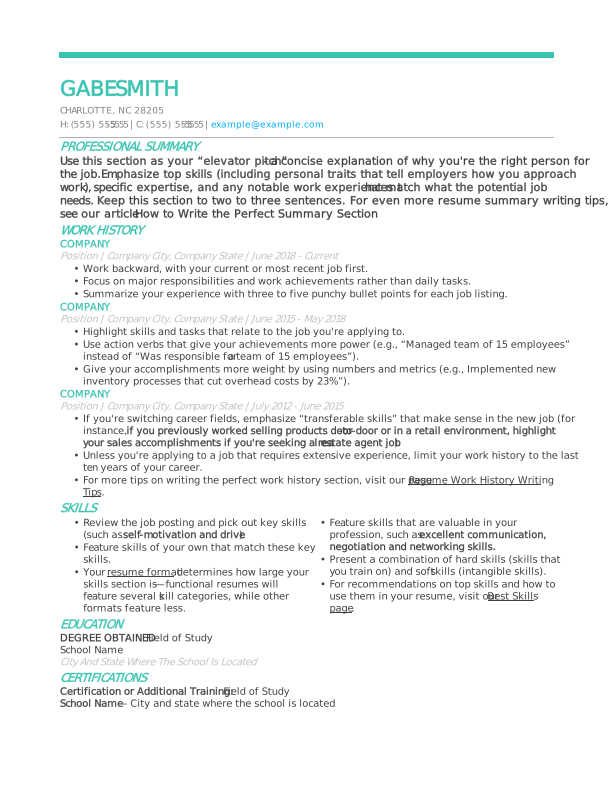
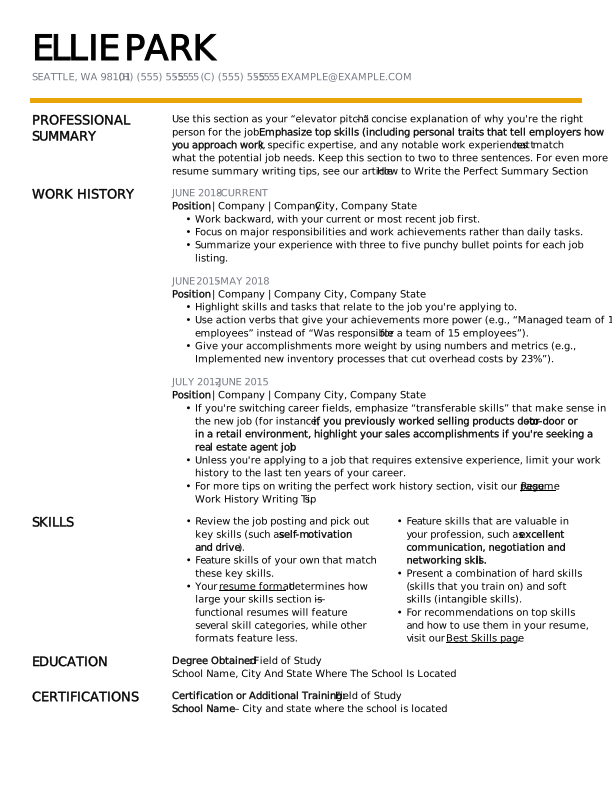
Using an ATS-friendly resume template is an excellent way to quickly create an ATS resume. We offer hundreds of resume templates that follow ATS resume format best practices.
Premium ATS Resume Templates by Job Title
The following ATS-friendly resume examples show how to format your resume for ATS. Customize them with our Resume Builder to add your experience and tailor your resume to your target role.
Cashier
Marketing Manager
Retail Sales Associate
Free ATS Resume Templates by Style
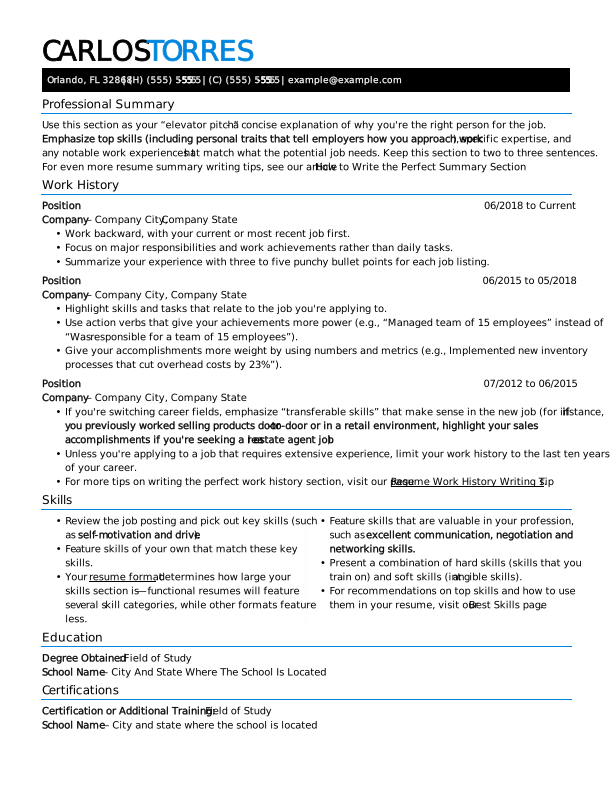
Download these free ATS-friendly resume templates to your desktop or mobile device, then update the placeholder content to match the job you’re applying for.
Creative
Modern
Traditional
How to Check If Your Resume Is ATS-Friendly
A quick way to check whether your resume is ATS-friendly is to copy the text from your file and paste it into a plain-text editor like Notepad. If the text is readable, it’s likely ATS-compatible.
Some resume-checking tools provide a score based on their own criteria, but ATS platforms don’t use a universal scoring system.
You can also use our ATS Resume Checker to get a personalized report on your resume’s formatting, word choice, comprehensiveness, and other factors that affect ATS compatibility.
You’ll get actionable suggestions to improve your resume and increase your chances of being noticed by recruiters and hiring managers.
Here’s how our ATS Resume Checker works:
- Upload your resume to our ATS resume scanner, then go to the dashboard to view your score and recommendations.
- Review your personalized report and select “Improve Resume” to implement the recommended fixes.
- Download your ATS-optimized resume in your desired file format and send it. Remember to customize your resume for every job you apply for!
Key Takeaways
- Tailor your resume to include job-specific skills, qualifications, and action verbs directly from the posting.
- Avoid graphics, tables, images, and fancy designs. Use clear headings and standard, ATS-friendly resume fonts.
- To ensure proper parsing, include headings like “Work Experience,” “Education,” “Skills,” and “Certifications.”
- Highlight relevant technical skills, certifications, and measurable accomplishments in your work experience.
- Submit your resume in the file format requested by the employer. If no format is specified, DOCX or a text-based PDF are generally good options.
Frequently Asked Questions
What resume format is best for ATS?
The chronological resume format is generally the best choice for ATS because it presents your work history in a clear, predictable structure, making it easier for ATS software to identify job titles, employers, dates, and responsibilities. Use standard headings, readable fonts, and a simple layout without graphics, tables, or multiple columns.
What fonts are ATS-friendly?
ATS-friendly fonts include Arial, Calibri, Times New Roman, Georgia, Verdana, and Helvetica because they’re common, readable fonts that most ATS software can parse reliably. Choose a simple font and use it consistently throughout your resume. Avoid decorative or highly stylized fonts, which may make resume text harder for some systems to read accurately.
Is 80% a good ATS score?
An 80% ATS score can indicate that your resume aligns well with a particular job description, but no universal ATS score guarantees it will pass screening. ATS software varies by system, and some tools don’t provide a numerical score.
Instead of targeting a specific score, focus on accurately matching relevant keywords, technical qualifications, and experience from the job description.
Can ATS detect a ChatGPT resume?
ATS software generally can’t determine whether a resume was written with ChatGPT simply by scanning the document, as it’s designed primarily to parse and evaluate resume information rather than identify how the content was written.
Some employers may use separate AI-detection tools or review your resume for generic or inaccurate content, so make sure your resume accurately reflects your qualifications and experience.
What are common ATS resume mistakes?
Common ATS resume mistakes include using complex layouts, graphics, tables, multiple columns, unusual fonts, and nonstandard section headings that can make information harder for some systems to parse.
Other mistakes include keyword stuffing, leaving out relevant terms from the job description, and failing to clearly describe your skills and experience. Use simple formatting and tailor your content to each position.
How We Reviewed This Article
Since 2012, we have helped more than 11 million job seekers. We want to make your career journey accessible and manageable through our services and Career Center’s how-to guides and tips. In our commitment to bring you a transparent process, we present our Editorial Process.
Rate this article
ATS-Friendly Resume

Marla is a professional resume writer. She is committed to helping job seekers navigate the job market and succeed in their careers.
More Articles by Marla FigueroaShare this page
 Add MyPerfectResume as a preferred source on Google
Add
Our customers have been hired at:*Foot Note