
Chronological Resume Format: Templates & Guide
 CREATE ON ANY DEVICE
  AI TOOL
A chronological resume lists your work experience in reverse-chronological order, starting with your most recent role. Discover when to use this format and create your resume with chronological resume templates built to impress employers.
Template Name


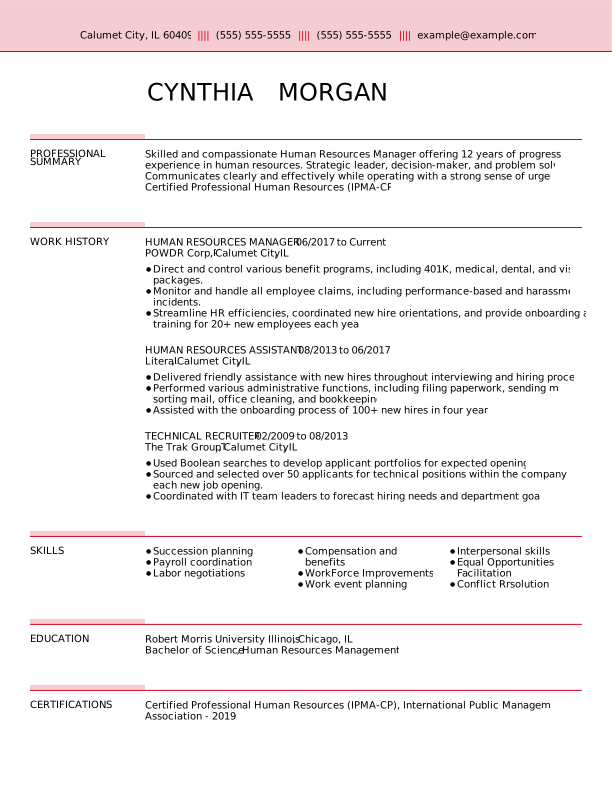
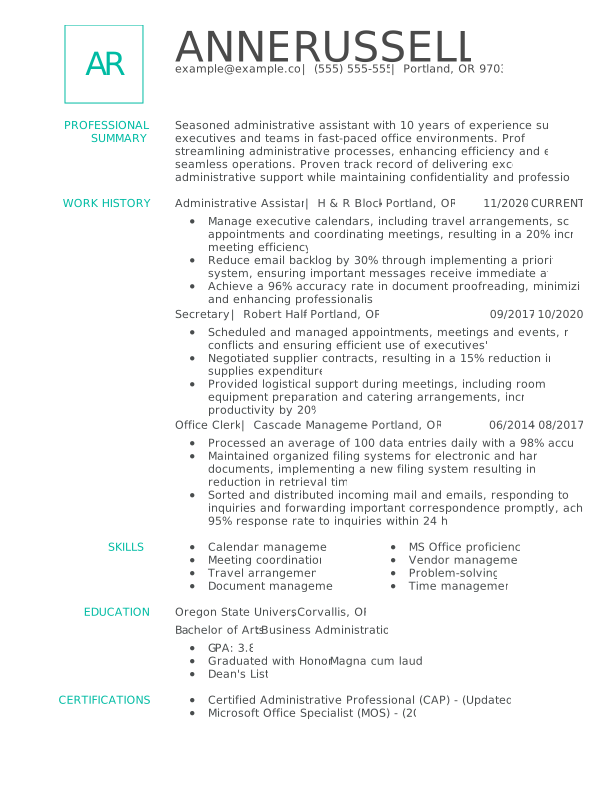
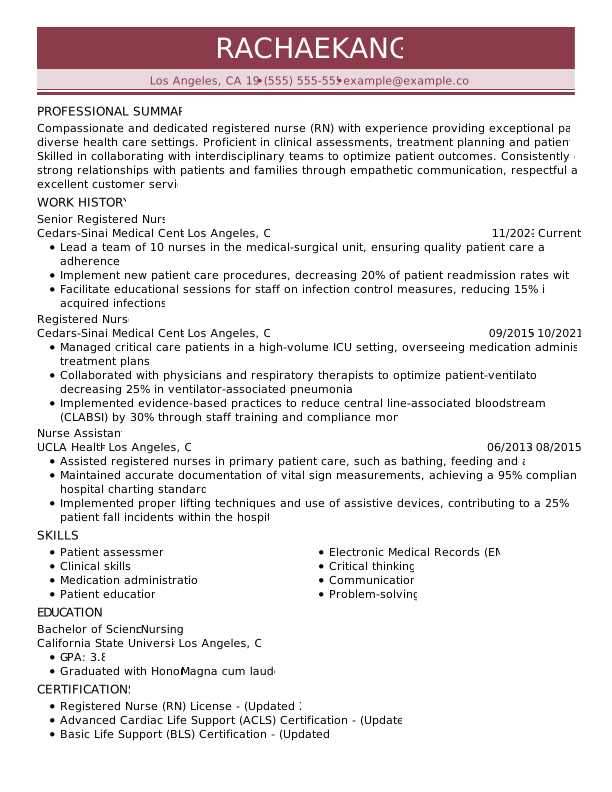
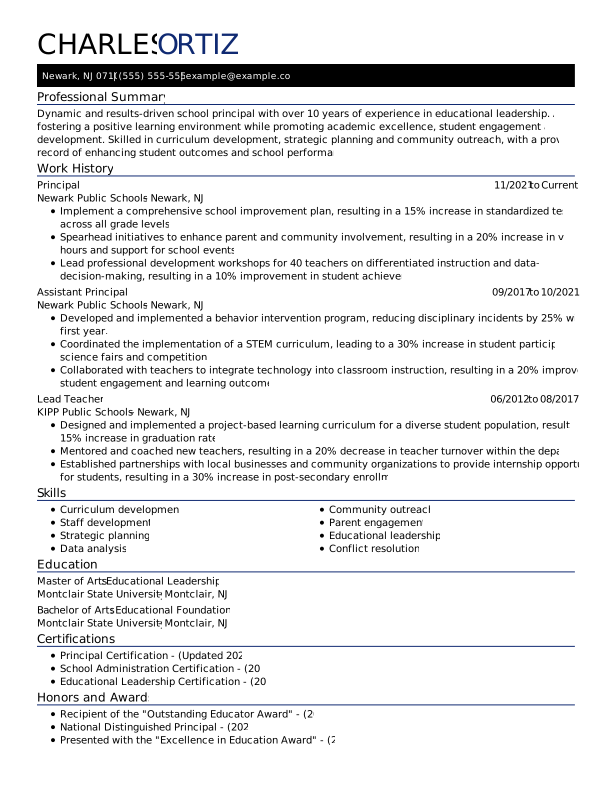
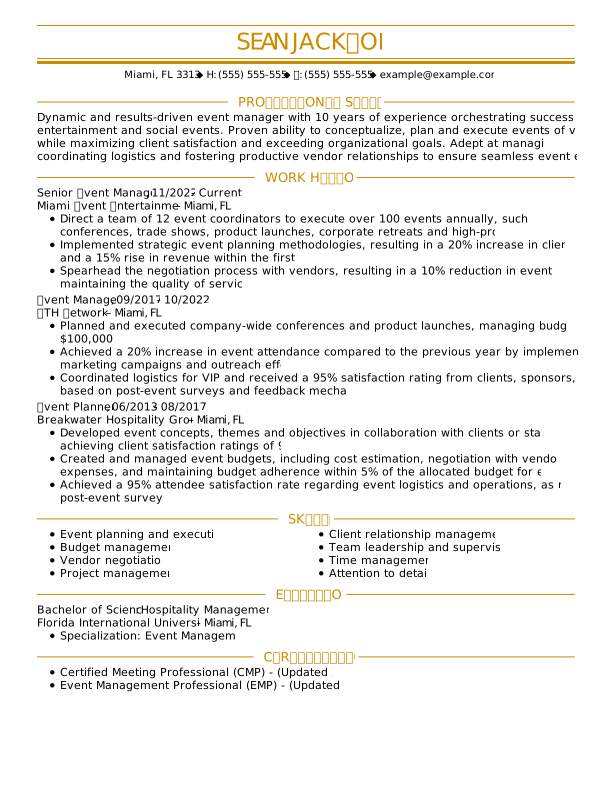
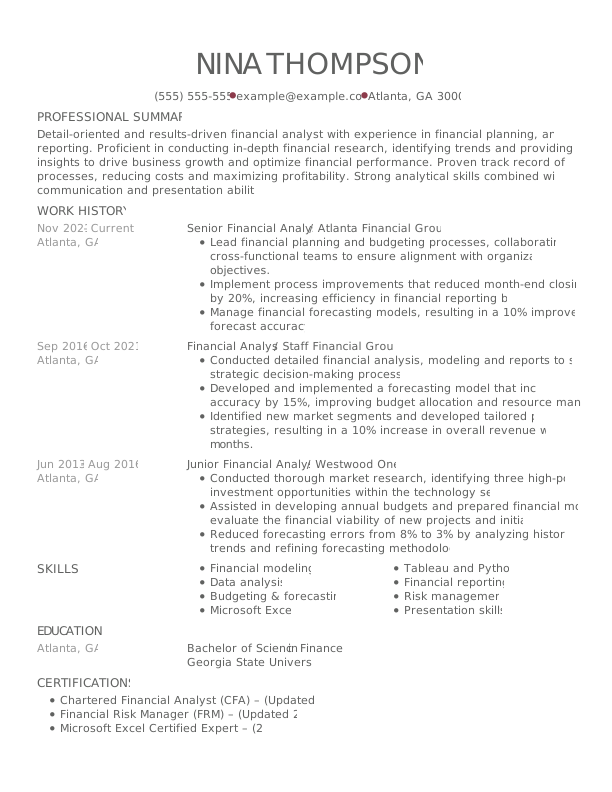
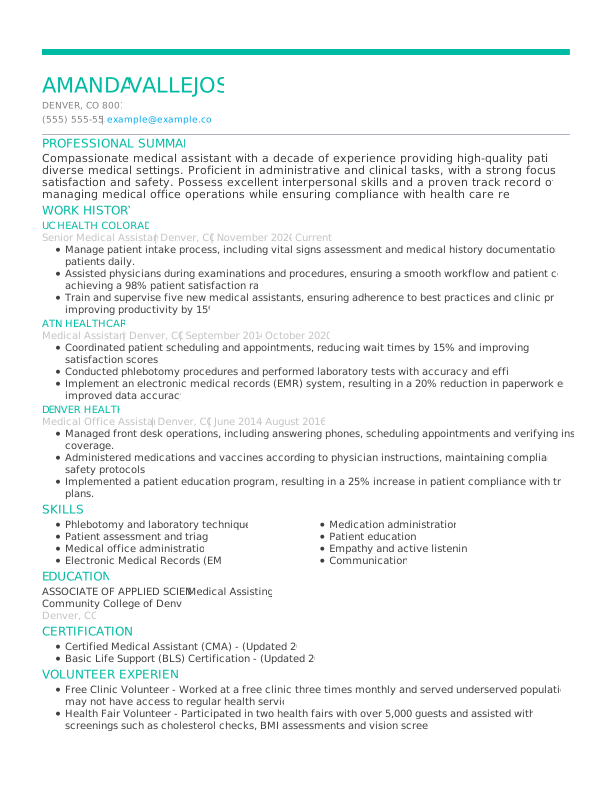
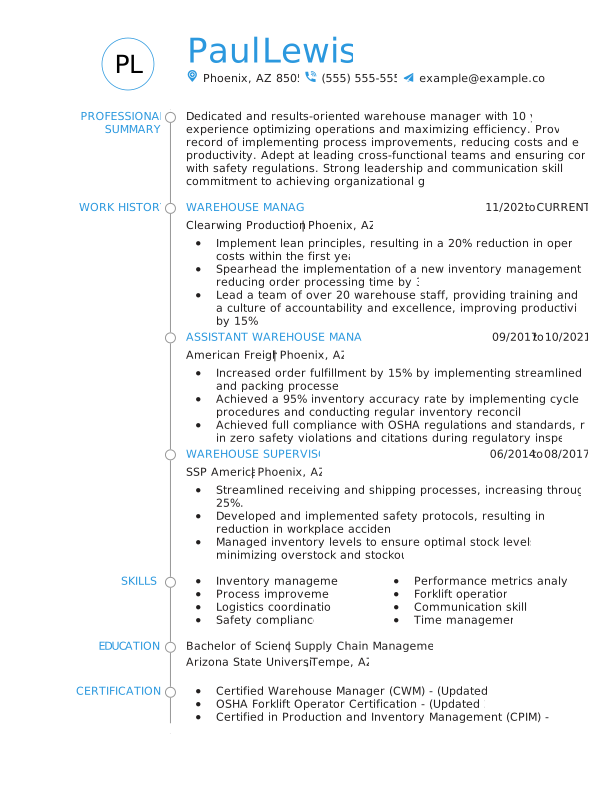
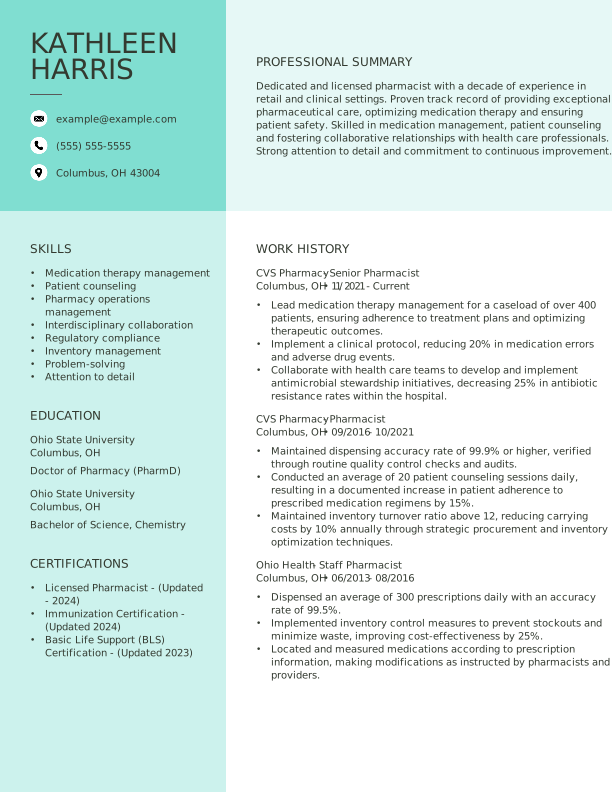
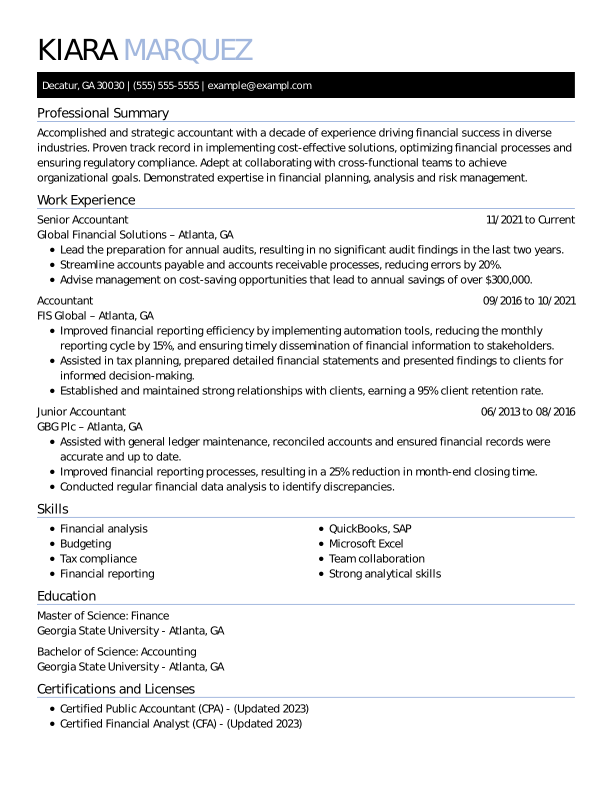
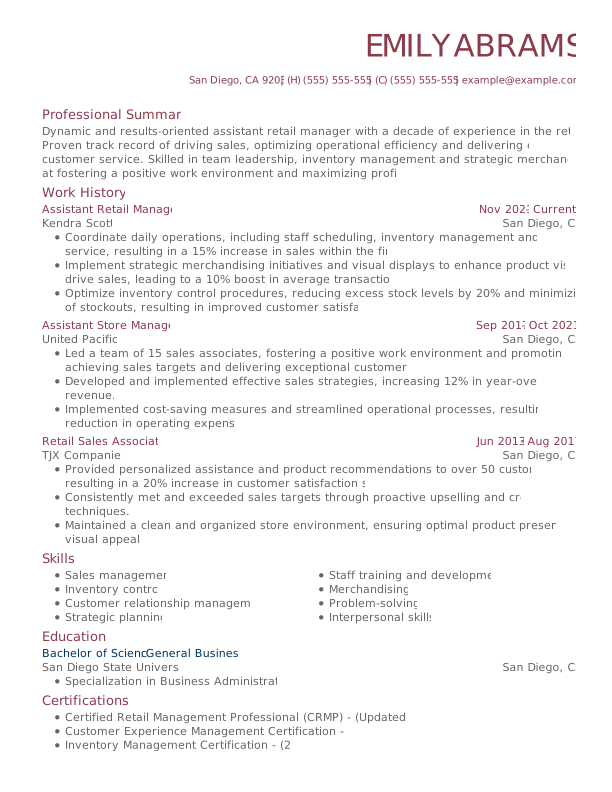
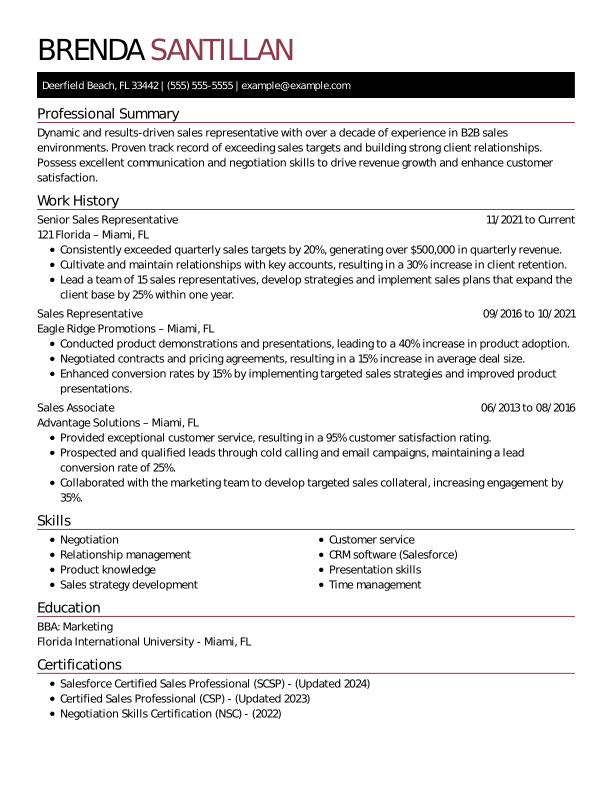
More ATS-Friendly Resume Templates
 Creative
 Modern
 Traditional
 Google Docs
 Combination
 Functional
What Is a Chronological Resume?
A chronological resume is a traditional resume format that lists your work experience in reverse-chronological order, starting with your most recent position.
Also known as a reverse-chronological resume, this layout emphasizes your career progression, showing employers how your responsibilities and achievements have evolved.
Recruiters and hiring managers often prefer chronological resumes because they provide a clear, easy-to-follow overview of your career timeline.
Best format for:
- Consistent work history
- Clear career progression
- Experience in the same field
Not ideal for:
- Significant employment gaps
- Frequent job changes
- Career transitions
When to Use a Chronological Resume Format
Chronological resumes are an effective choice for job seekers with a steady employment history or experience in a single career path, as they highlight growth and consistency. Consider using a chronological resume template if any of the following describe your background:


You Have a Consistent Work History
The reverse-chronological resume format places your work experience at the top, which is ideal for showcasing a stable employment history. It highlights job titles, promotions, and measurable accomplishments so hiring managers can see your career growth.


You’ve Advanced Within the Same Field
This format is an excellent choice if you’ve steadily advanced in a single industry. Highlighting each new role, increased responsibilities, and key achievements lets employers see how you’ve developed expertise and grown professionally over time.


You’re Applying to Experience-Focused Roles
When applying for more traditional or experience-focused roles, write your resume in reverse-chronological order to showcase your work experience and career trajectory. This helps hiring managers quickly assess your job-relevant qualifications.
How to Structure a Chronological Resume
A chronological resume should present your most recent work experience first, followed by earlier roles in reverse-chronological order. Start with your contact information and resume summary, then include your work history, education, and relevant skills.
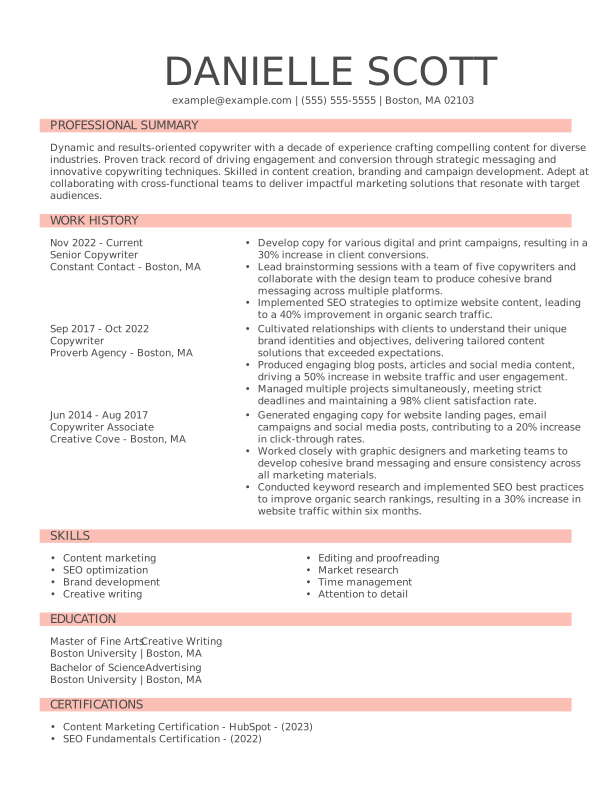
Contact Information
Add your contact information to the top of your resume and ensure it’s easy to read. Include your full name, phone number, professional email address, and location (city and state; zip code optional). You can also add a professional profile or personal website if relevant.
Professional Summary
Your resume summary helps hiring managers quickly understand your value and sets the tone for the rest of your resume. In two to four sentences, provide a quick overview of the relevant skills and work experience that make you the best candidate for the job.
Work History
Work experience is the core of a chronological resume. List your jobs in reverse order, starting with your most recent role. For each position in the work history section, include your job title, the company name, location, dates of employment, and three to five key accomplishments.
Skills
Your skills section is typically a separate section that follows or appears near your work experience, depending on your resume layout. Feature five to 10 skills that complement your experience and resume summary. Hiring managers want to see a mix of relevant hard, soft, and technical skills.
Education
List your educational background in reverse-chronological order, starting with your most recent degree. Include the school name, location, and degree earned. You can also add honors, relevant coursework, and certifications that support your career goals.
Comparing the 3 Resume Formats
The three most common resume formats—chronological, functional, and combination—emphasize different aspects of your experience. Find out which one is best for your career stage and goals.
Chronological resume format
Highlights your work history by listing jobs in reverse-chronological order, which is ideal for showcasing steady career growth.

RECOMMENDED
- You have consistent career progression in your current industry.
- You’ve built a professional career within a single field of expertise.
- You’re applying for a role that’s similar to your current position.
Combination resume format
Balances your skills and work history to showcase diverse qualifications, making it an excellent format for career changers and freelancers.
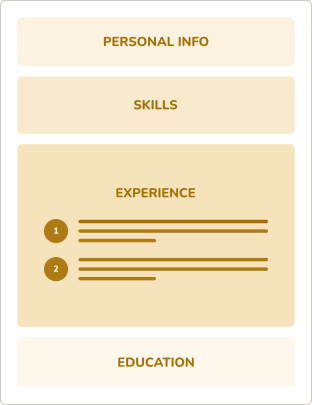
- You’re changing to a new career path and need to highlight key skills.
- You have freelance or varied work experience that you want to showcase.
- You’re applying for a mid-level role that values diverse qualifications.
Functional resume format
Emphasizes skills and abilities over work history and may be useful in specific career-transition or early-career scenarios.
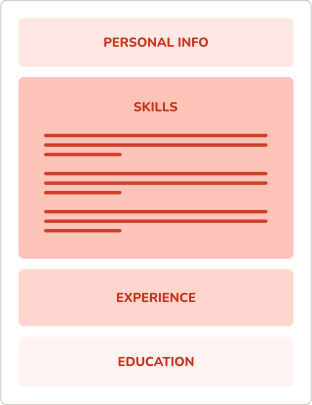
- You’re a recent graduate with limited professional experience to highlight.
- You have gaps in your work history and want to focus on your skills.
- You’re applying for an entry-level role where skills are more relevant than extensive work history.
Get Hired Fast With MyPerfectResume’s
Free Resume Templates

Professional Designs for Every Industry
From creative resume designs to minimalistic and basic layouts, we’ve got ATS-friendly resume templates for every job, industry, and career level.

Easy to Customize for Any Experience Level
You can quickly and easily customize your resume template to highlight your skills, experience, and education right from your mobile device or desktop.

Instant Insights to Improve Your Resume
With our resume grader, you’ll get personalized insights and actionable tips to strengthen your resume, increase your score, and stand out to hiring managers.

Expert Tools Do the Heavy Lifting for You
MyPerfectResume’s AI Resume Builder and templates help you create a standout resume with expert tools, AI-powered content, and easy customization on any device.
Search Professionally Written
Resume Examples
Easily tailor our resume examples using MyPerfectResume’s online Resume Builder.
Search Professionally Written
Cover Letter Examples
Our cover letter examples highlight the ideal tone and skills employers seek.
Search Professionally Written
CV Examples
Personalize our CV examples with MyPerfectResume’s free Resume Builder.
Get Started Creating a Job-Winning Resume
Upload Your Current Resume
Import your details into one of our polished resume templates.
Create a New Resume
Choose one of our resume templates, and we’ll guide you through the rest.
Frequently Asked Questions
Last Updated:
Are your chronological resume examples customizable?
Yes, our chronological resume examples are customizable, so you can tailor the content, sections, and formatting to your experience and career goals. Use a chronological resume example as a starting point, then replace the sample content with your own work history, skills, and achievements. You can write your own descriptions or add ready-made and AI-powered content suggestions that help you showcase your accomplishments and work history.
How many pages should a chronological resume be?
A chronological resume should generally be one page, especially for entry-level candidates and professionals with less than 10 years of experience. A two-page resume can be appropriate for experienced professionals with extensive, highly relevant work history. Focus on your most recent and relevant qualifications rather than adding information simply to fill a second page.
What is the correct chronological order for a resume?
The correct chronological order for a resume is reverse-chronological order, with your most recent job listed first and earlier positions following in order. Include your job title, employer, location, and dates of employment for each role, followed by concise bullet points describing your responsibilities and achievements. This format helps employers quickly see your most recent experience and career progression.
Where does education go on a chronological resume?
Education typically goes after your work experience on a chronological resume, especially for professionals with relevant work history. List your most recent degree or credential first, followed by earlier education in reverse-chronological order. If you’re a recent graduate or have limited work experience, you can place your education section closer to the top to emphasize your academic qualifications.
How do I make an ATS-friendly chronological resume?
To make an ATS-friendly chronological resume, use a simple layout, standard section headings, and keywords from the job description. List your work experience in reverse-chronological order and use clear, concise bullet points with measurable achievements. Avoid tables, graphics, text boxes, headers, footers, and decorative fonts that can interfere with applicant tracking systems (ATS) when they scan your resume.
What are the disadvantages of a chronological resume?
The main disadvantage of a chronological resume is that it puts your work history front and center, which can draw attention to employment gaps, frequent job changes, or limited experience. It may also be less effective for career changers whose most relevant skills come from unrelated roles. In these cases, a combination resume may better highlight transferable skills and qualifications.
Who should not use a chronological resume?
Candidates with significant employment gaps, frequent job changes, limited work experience, or a career history that doesn’t align with their target role may not benefit from a chronological resume. Career changers may also prefer a combination or functional format if their transferable skills are more relevant than their previous job titles.
Do employers prefer chronological or functional resumes?
For most job seekers, a chronological resume is the safest choice because it gives employers a clear view of recent experience and career progression. A functional resume focuses on skills rather than job history, which can make it harder for employers to understand your background. Unless your experience requires a different approach, it’s generally a good idea to use a chronological resume.
