How to Make an ATS Friendly Resume (Templates & Guide)

Our customers have been hired at: *Foot Note


Table of Contents
Get started with MyPerfectResume today!
- Build a resume on any device
- Pick an ATS-friendly template
- Tailor with AI copy suggestions
In today’s fast-paced hiring climate, many employers use applicant tracking systems (ATS) to organize, store, and screen candidate information.
Optimizing your resume for ATS is essential for ensuring your application passes automated screening and reaches the recruiter or hiring manager.
In this guide, we’ll cover everything you need to know about creating an ATS-friendly resume. Explore expert tips and ATS-compliant resume templates to submit a job application that gets noticed.
What Is an ATS-Friendly Resume?
An ATS-friendly resume is a resume that’s written and formatted in a way that applicant tracking systems (ATS) can easily read, scan, and rank it. ATS software helps companies screen applications and manage their recruitment and hiring processes more efficiently.
ATS-friendly resumes use simple formatting, standard section headings, common fonts, clear job titles, and relevant keywords from the job description. Avoiding graphics, tables, columns, and unusual design elements ensures your skills and experience are accurately captured.
Many companies use ATS software to review resumes before a hiring manager sees them, so if your resume isn’t compliant, it may be rejected even if you are qualified for the role.
To get past the ATS, tailor your resume with relevant keywords and skills from the job description.– Dr. Jasmine Escalera, Career Expert
How Does ATS Software Work?
ATS software parses your resume to extract key terms and information from it, such as work experience, education, skills, and certifications.
It compares the parsed resume content against a predefined set of keywords and phrases that align with the requirements of the role, giving it a job match rate.
The job match rate is based on how closely your skills and accomplishments align with the job description in the ATS.
For most ATS tools, a resume scoring 80% or above will pass screening and be forwarded to a hiring manager or recruiter. Some examples of keywords that ATS might scan for include:
- Skills such as interpersonal skills, coding, and leadership
- Certifications such as “BLS Certified” or “PMP”
- Education, for example, a BA in Communications, a PhD, or a GED
- Former employers like Microsoft, Apple, or Google
- Work history, like marketing, sales, or customer service experience
- Job titles such as “Project Manager” or “Registered Nurse”
- Action verbs like “managed,” “implemented,” and “collaborated”
More advanced ATS evaluates context, not just the presence of keywords. For example, “Managed a team of 10 nurses” might score higher than just listing “management” under skills.
Some ATS tools may also consider keyword placement. For example, keywords in work experience or skills sections may be weighted more heavily than those in a hobbies section.
That said, your resume’s score will ultimately be based on the quantity and relevance of keywords that match the skills and qualifications mentioned in the job description.
You can use our ATS Resume Checker to scan your resume for more than 30 common keyword- and content-related issues that can prevent your resume from passing automated screening.
How to Make an ATS-Friendly Resume
Creating a well-formatted, targeted resume is the key to passing ATS. Follow the steps below to learn how to ensure your resume is optimized for ATS screening.
Step 1Review the job description
Preparation is essential when writing a resume, especially for ensuring that it is ATS-compliant. Start by reviewing the job description and highlighting relevant keywords.
Resume keywords take many forms, including skills, technical expertise, industry terminology, certifications, licenses, and specialized knowledge.
For example, consider this sample job description for a software engineer role. The bolded words and phrases are potential keywords you could include in your ATS resume template.
SAMPLE JOB DESCRIPTION

ROLE:
Own the technical execution of three cutting-edge web products. Champion the use of best practices—Agile, version control, and user experience. Collaborate with the development team to plan, coordinate, and deliver according to a high-level product roadmap.

RESPONSIBILITIES:
- Create your own themes based on requirements from HTML scratch.
- Understand development best practices and be able to work out and create solutions based on uninformed and sometimes unclear briefs.
- Perform continual maintenance checks to ensure optimal site performance.
- Perform browser compatibility assessments.

REQUIRED SKILLS:
- Should possess expertise in WordPress and HOOKS concepts.
- Decent exposure to WordPress Hierarchy structure.
- Have experience building user interfaces for websites and web applications.
- Well-versed with HTML, MYSQL, Javascript, and jQuery.
The first step is ensuring that your resume is in the correct format for an ATS to scan and parse the information. Highlighting the key skills mentioned in the job description will help your resume stand out from other applicants.– Toni Frana, Career Expert
Step 2Match your qualifications to the job requirements
After you’ve identified the keywords from the job description, match them to your qualifications. These include relevant hard skills and soft skills, education credentials, volunteer experience, industry expertise, and hands-on work experience that you have.
Be honest about your qualifications; an effective ATS resume is more than just keywords. Potential employers will see through a keyword-loaded resume that does not reflect your true ability to perform the functions of a specific job.
If you are writing a resume with no experience, it can help to browse resume examples for jobs in your field to get a better sense of the keywords for your industry and target position.
Step 3 Incorporate keywords throughout your resume
Sprinkle relevant keywords naturally throughout every section of your resume. We’ve detailed how to include keywords throughout each section below.
Professional summary
Create an ATS-friendly resume summary by including keywords that relate to your job-relevant skills and achievements, and the number of years you’ve been in your field.
Let’s use the software engineer job above. Take a look at this resume summary example:
Detail-oriented web developer with over 5 years of experience designing and maintaining responsive, high-performance WordPress websites. Proven expertise in developing custom themes from scratch using HTML, JavaScript, and jQuery, while leveraging WordPress Hooks and adhering to hierarchy structure. Skilled in Agile development, version control, and collaborative delivery aligned with product roadmaps. Adept at conducting regular maintenance and browser compatibility assessments to ensure seamless user experiences.
Work history
When writing your employment history for an ATS-friendly resume, detail the tools, programs, expertise, and technical skills you used to achieve goals for the companies you worked for.
Discuss your areas of expertise and key accomplishments. Let’s continue with the same example to create a work experience section:
Web Developer
Digital Spark Media | Remote
March 2020 – Present
- Led the technical execution of three high-traffic WordPress-based web products, building custom themes from HTML, CSS, and JavaScript based on evolving product requirements.
- Applied advanced knowledge of WordPress Hooks and core architecture to create modular, maintainable site components, improving page load speed by 35%.
- Collaborated cross-functionally with product managers, UX/UI designers, and QA engineers to deliver features aligned with a strategic product roadmap using Agile methodologies and version control systems like Git.
- Conducted routine performance audits and implemented solutions to optimize MySQL queries, reducing server response time by 40%.
Employers and applicant tracking systems like a chronological resume format. For employers, it gives them a clear picture of the work you’ve done, when you did it, and what accomplishments you have relevant to the job they are hiring for. Applicant tracking systems can more easily parse your information when it’s in chronological order.– Toni Frana, Career Expert
Skills section
This is the most straightforward section to add keywords to for an ATS-friendly resume. Create a resume skills section that includes skills listed in the job description. For example:
- WordPress development
- HTML, CSS, JavaScript, jQuery
- WordPress Hooks & theme architecture
- MySQL
- Git & version control
- Agile methodologies
- Cross-browser compatibility
- Website performance optimization
Optional sections
Optional sections are a great way to highlight job qualifications that aren’t included in other areas of your resume. For example, if you add an optional volunteer experience section to your resume, place matching job keywords that did not fit into your work history section there.
Use action verbs whenever possible to describe your qualifications and emphasize accomplishments to give your ATS resume a boost. Here’s an example volunteer experience entry that includes keywords:
Volunteer Web Developer
Code for Good Foundation | Los Angeles, CA
March 2023 – December 2024
- Built and customized WordPress themes from HTML/CSS scratch based on functional and design requirements.
- Applied WordPress hooks and template hierarchy concepts to create scalable, maintainable site architecture.
- Collaborated with a cross-functional development team using Agile methodologies to plan features aligned with a high-level product roadmap.
Hiring managers and recruiters also use ATS to find matching cover letters. See how to write a cover letter for additional tips on optimizing your job application.
Tips for an ATS-Friendly Resume Format
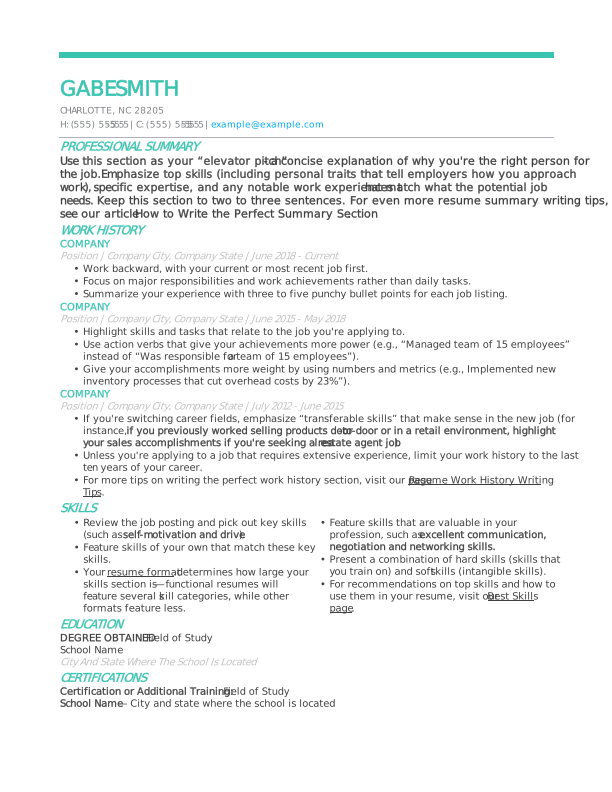
- Keep the layout simple. Use a single-column format with clear section headings. Complex layouts, tables, graphics, and text boxes can confuse ATS and cause important information to be misread or skipped.
- Use standard section headings. Stick with familiar labels like “work experience,” “skills,” “education,” and “certifications.” ATS software is programmed to recognize these headings, making it easier to correctly categorize your information.
- Choose an ATS-compatible font. Use common resume fonts such as Arial, Calibri, Helvetica, or Times New Roman. Avoid decorative or script fonts, which can be difficult for ATS software to parse accurately.
- Avoid images, icons, and graphics. Logos, charts, icons, and photos may look appealing, but often aren’t readable by ATS.
- Keep dates and job titles clear. List job titles and employment dates in a consistent, easy-to-scan format. This helps ATS software accurately track your career timeline.
- Incorporate keywords naturally. Review the job description and include relevant skills, job titles, and industry terms throughout your resume. Use keywords naturally within your experience and skills sections rather than keyword stuffing.
- Use simple bullet points. Bullet points improve readability for both ATS software and human reviewers. Avoid special characters and symbols; stick to standard bullets.
- Use standard file formats. Submit your resume as a DOCX or PDF unless the job posting specifies otherwise. These file formats are widely supported and help ensure your resume displays and scans correctly.
ATS-Friendly Resume Templates
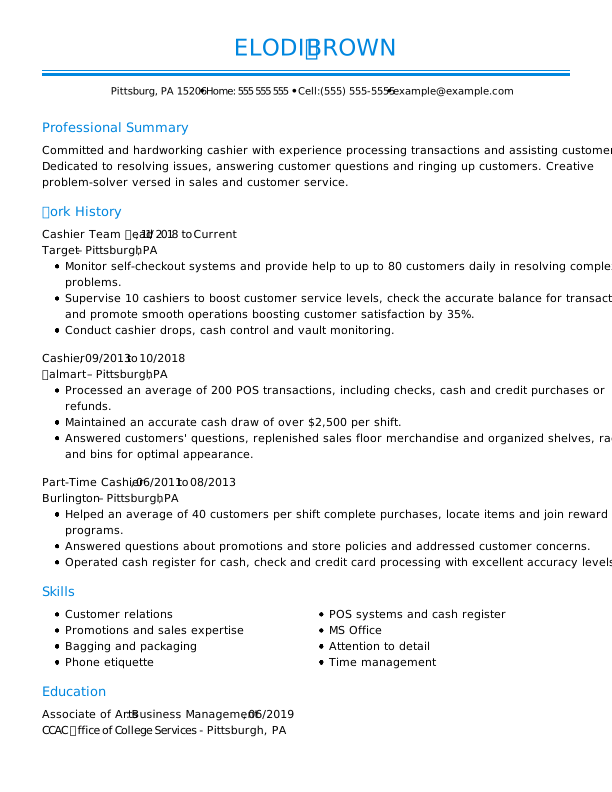
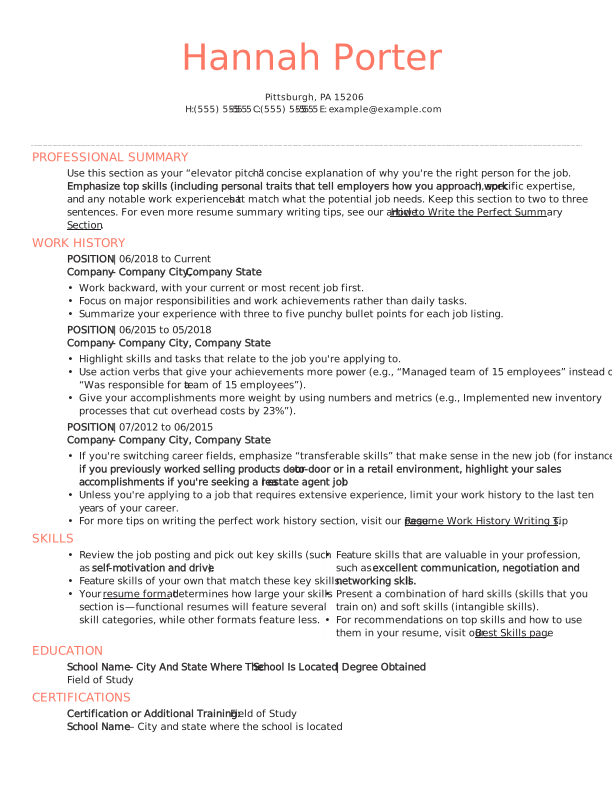
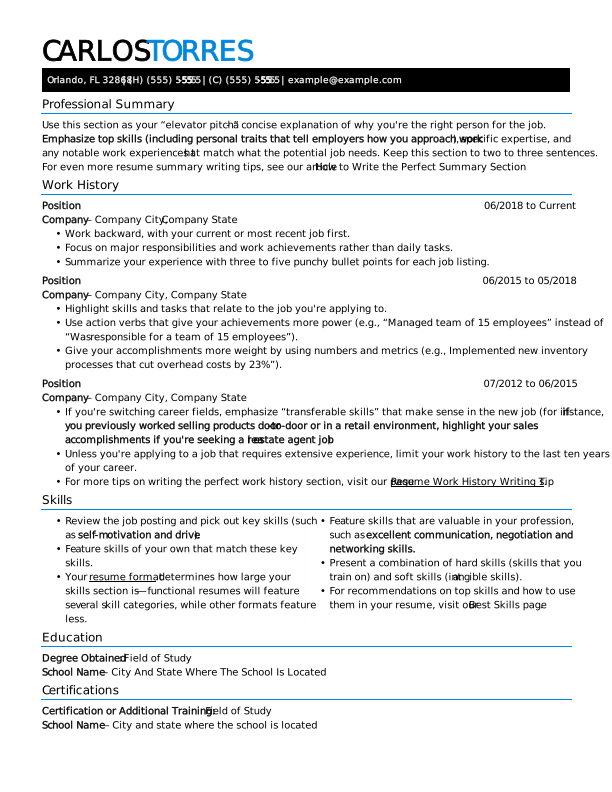
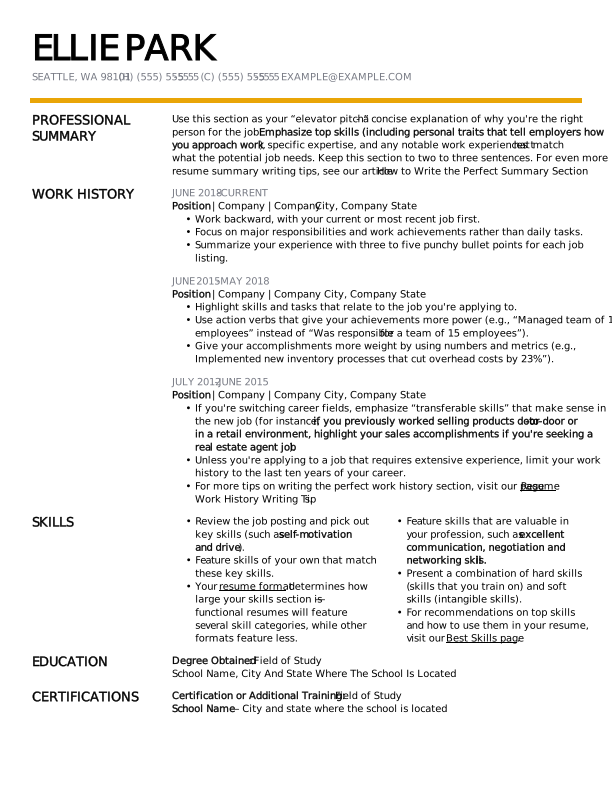
Using an ATS-friendly resume template is an excellent way to quickly and easily create your ATS resume. We have hundreds of resume templates that adhere to ATS resume format best practices. Explore the selection below to get started.
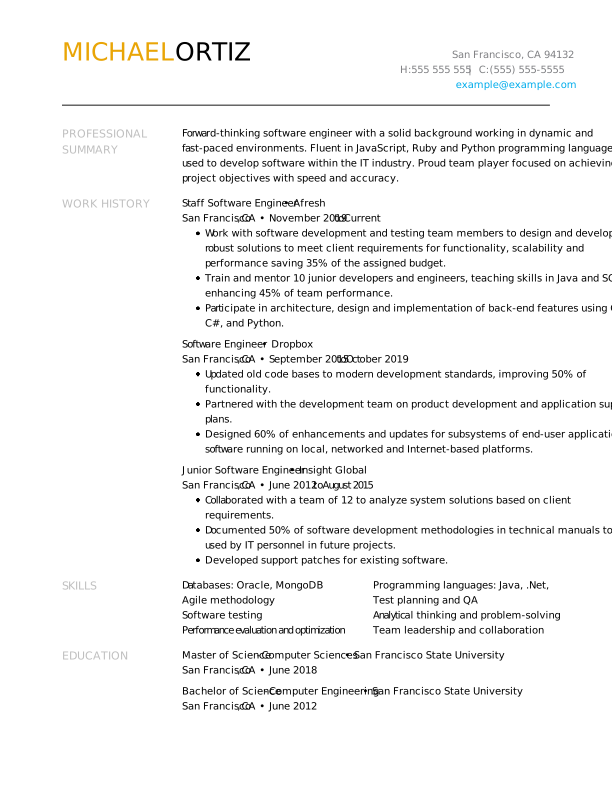
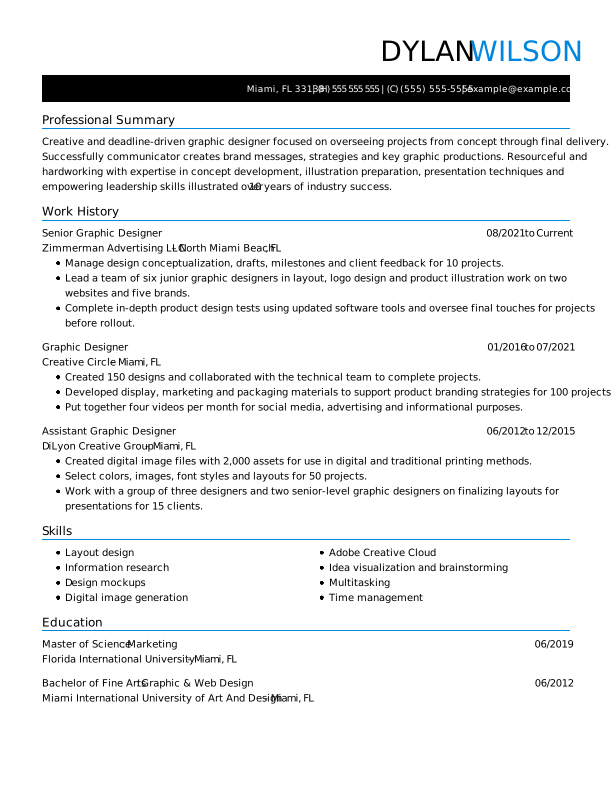
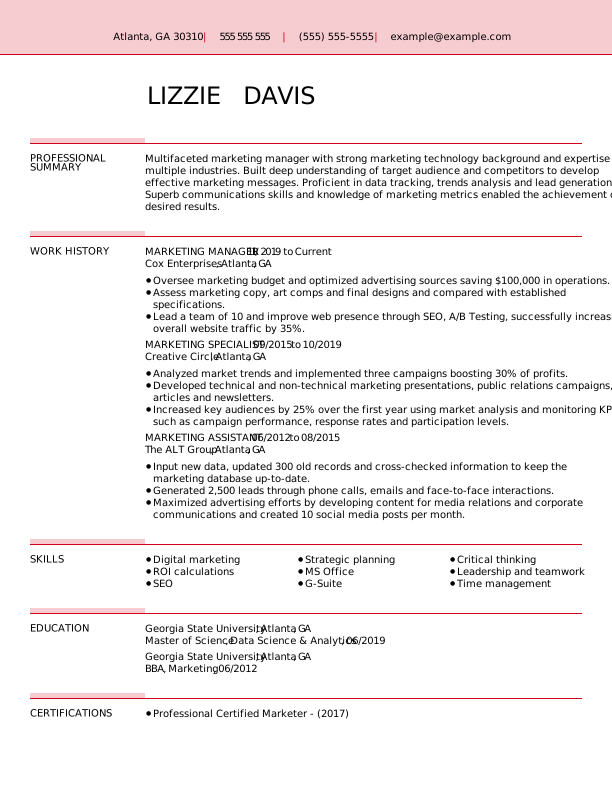
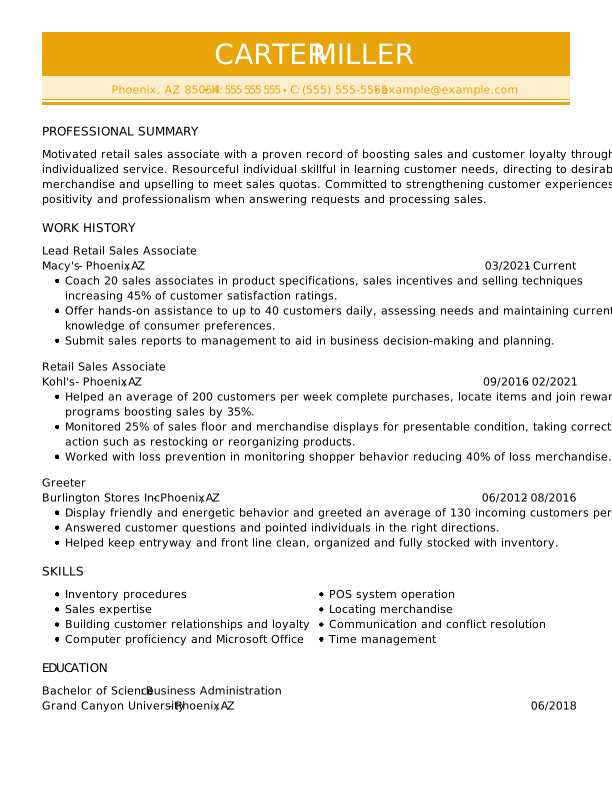
Premium ATS resume templates
The following ATS-friendly resume examples demonstrate how to format your resume for ATS. You can customize them using our Resume Builder to add your skills and experience.
Free ATS resume templates
Download these free ATS-friendly resume templates to your desktop or mobile device and customize them to align with the job you are applying for.
Searching for remote jobs? Our sister company, FlexJobs, updates job listings daily. Find verified remote jobs, from remote copywriting jobs to remote sales jobs and everything in between.
How to Check if Your Resume Is ATS-Friendly
A quick way to check whether your resume is ATS-friendly is to copy the text from your file and paste it into a plain-text editor like Notepad. If the text is readable, it’s likely ATS-compatible.
You can use our ATS Resume Checker to get a personalized report on your resume’s formatting, word choice, comprehensiveness, and other factors that can affect ATS compatibility.
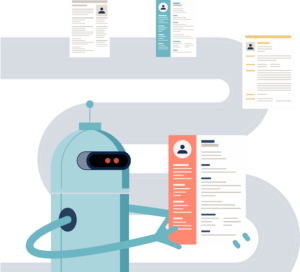
You’ll get actionable suggestions for improving your resume and increasing your chances of being noticed by recruiters and hiring managers. Here’s how our ATS resume checker works:
- Upload your resume to our ATS resume scanner and go to the dashboard to view your resume score.
- Review your personalized report and select “Improve Resume” to implement the recommended fixes.
- Download your ATS-optimized resume in your desired file format and send. Remember to customize your resume for every job you apply for!
Key Takeaways
- Tailor your resume to include job-specific skills, qualifications, and action verbs directly from the posting.
- Avoid graphics, tables, images, and fancy designs. Use clear headings and standard, ATS-friendly resume fonts.
- To ensure proper parsing, include headings like “Work Experience,” “Education,” “Skills,” and “Certifications.”
- Highlight relevant technical skills, certifications, and measurable accomplishments in your work experience.
- Submit your resume as a Word file or an ATS-compatible PDF. Refer to the job description for file format requirements.
FAQ
What are common ATS resume mistakes?
Here are some common mistakes that could be preventing your resume from passing ATS:
- Using non-standard fonts: Stick to traditional fonts like Arial, Times New Roman, or Calibri to ensure readability.
- Not using relevant keywords: Make sure to include relevant keywords that match the job description. Use industry-specific terms, technical jargon, and action verbs to showcase your skills and experiences.
- Including irrelevant information: Keep your resume focused on the job requirements and relevant qualifications.
- Not proofreading your resume: Always proofread your resume for spelling and grammar errors. ATS may reject your resume if it contains too many errors.
By avoiding these common mistakes, you can increase your chances of getting noticed by recruiters and getting an interview.
Do all companies use ATS for resumes?
Not all companies use ATS for resumes, but they are increasingly common, especially among larger corporations and organizations with high volumes of job applications. According to data from GoodFirms, 90% of Fortune 500 companies use applicant tracking software.
However, smaller businesses or startups may not utilize ATS due to cost constraints or because they handle their recruitment process manually or with simpler tools. Nonetheless, it’s a good idea for job seekers to be familiar with ATS, as they’re prevalent in today’s job market.
How long should a resume be for ATS?
A concise one-page resume or a two-page resume is ideal for ATS compatibility. Overly lengthy documents can be challenging for ATS systems to parse and process effectively.
Focus on including relevant information that highlights your skills, experiences, and achievements related to the job you’re applying for. Balancing brevity with substance is key to creating an impactful resume for both ATS and human reviewers.
Does ATS read two-page resumes?
Yes, ATS can read two-page resumes, but it’s essential to ensure the formatting and content are ATS-friendly. Here’s what you need to know:
- ATS reads entire documents. ATS scans the entire document, regardless of resume length, as long as it’s formatted properly and submitted in a compatible file type.
- Use consistent formatting across pages. Use clear headings and consistent font styles throughout both pages to ensure ATS parsing doesn’t break.
- Avoid headers or footers for key info. ATS may not read information in headers or footers. Avoid placing contact information or page numbers there.
- The first page is critical. Ensure your most critical skills, accomplishments, and qualifications appear on the first page, as recruiters may prioritize what they see first.
Ultimately, a two-page resume is compatible with ATS as long as it’s well-structured, relevant, and optimized with keywords to pass the system and impress human reviewers.
Can ATS read PDF files?
Yes, ATS systems can read PDF files, but it depends on how the PDF was created. PDFs generated from text-based documents, such as Word or Google Docs, are fully readable by most ATS software because the text is selectable and searchable.
On the other hand, image-based PDFs, such as scanned resumes or documents saved as images, usually cannot be read by ATS. Some ATS systems have optical character recognition (OCR) capabilities to try to extract text from images, but this process is often unreliable and can result in missing or misinterpreted information.
Even with text-based PDFs, it’s important to keep formatting simple. Complex layouts, multiple columns, tables, and graphics can confuse ATS software and prevent it from accurately parsing your resume. A clean, single-column format with standard headings is always best.
Is it better to use a PDF or a Word doc for ATS?
Both PDF and Word file formats are generally compatible with ATS, but each has pros and cons, and the optimal choice depends on the situation.
Word (.docx) is often the safest option for ATS because it is universally compatible with almost all applicant tracking systems. It preserves plain text and simple formatting, making it easier for the ATS to read and parse your information correctly.
Some older ATS versions may struggle with PDFs, so submitting a Word file avoids that risk entirely. If the job posting specifically requests a format, follow that. Otherwise, Word is the safest default for ATS.
PDF is a good choice as long as it’s text-based (not scanned as an image) and uses simple formatting. It preserves the layout exactly as you designed it, which is useful if you want to control how your resume looks for human readers.
What is the most ATS-friendly resume format?
The most ATS-friendly resume format is a simple, chronological resume layout that lists your work experience from most recent to oldest. The clean, straightforward structure ensures your resume is accurately read by both ATS and human reviewers.
What does an ATS-compliant resume look like?
An ATS-compliant resume is clean, simple, and easy for software to read. It typically has a single-column layout with standard section headings like “work experience,” “education,” and “skills,” listed in a clear, reverse-chronological order.
Job titles, company names, and dates are presented consistently, making it easy for ATS to parse your career history. The formatting avoids tables, graphics, images, and unusual fonts. Bullet points are simple, and relevant keywords from the job description are naturally incorporated throughout.
How We Reviewed This Article
Since 2012, we have helped more than 11 million job seekers. We want to make your career journey accessible and manageable through our services and Career Center’s how-to guides and tips. In our commitment to bring you a transparent process, we present our Editorial Process.
Rate this article
ATS-Friendly Resume

Marla is a professional resume writer. She is committed to helping job seekers navigate the job market and succeed in their careers.
More Articles by Marla FigueroaShare this page
Our customers have been hired at:*Foot Note