One Page Resume Guide: Templates & Examples

Our customers have been hired at: *Foot Note


Table of Contents
Get started with MyPerfectResume today!
- Build a resume on any device
- Pick an ATS-friendly template
- Tailor with AI copy suggestions
What to Expect
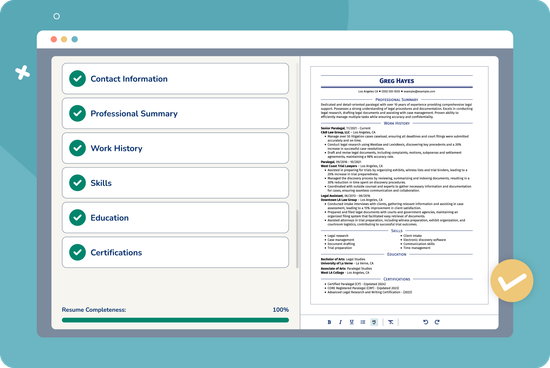
- A one-page resume is usually a strong choice for recent graduates and professionals with less than 10 years of experience.
- Two pages can be appropriate for experienced professionals when additional relevant experience, accomplishments, certifications, or credentials add value.
- Resume length doesn’t determine ATS compatibility. Clean formatting, standard section headings, and relevant keywords matter more.
- A strong one-page resume prioritizes relevant achievements rather than trying to document an entire career history.
Fitting years of work, skills, and accomplishments onto one page can feel impossible. What stays? What goes? And how do you make room without shrinking your resume until no one wants to read it?
A strong one-page resume isn’t about cramming your entire career onto a single sheet. It’s an exercise in identifying what matters most to this employer and communicating it clearly. Done well, that compact format becomes a visual hook, giving a busy recruiter an easy-to-scan snapshot of why you’re qualified.
Does Your Resume Have to Be One Page?
No, your resume doesn’t have to be one page. For many job seekers, one page works well, but relevance matters more than following a strict page-count rule. The right resume length depends on your experience, industry, and what you need to show to prove you’re qualified.
When Should a Resume Be One Page?
A one-page resume is usually enough if you have less than 10 years of professional experience or are a recent graduate. It can also work for experienced professionals whose most relevant qualifications fit on one page without leaving out important accomplishments.
Focus on recent, relevant experience and professional skills rather than documenting every position you’ve held.
When Is a Two-Page Resume Better?
A two-page resume can make sense when you have more than 10 years of relevant experience, senior-level experience, or substantial accomplishments that can’t be presented effectively on one page.
Some fields also require more detail. Academic and research professionals may need publications and presentations, while specialized or government roles may require extensive certifications or technical qualifications. These documents can follow different conventions from a standard one-page resume.
Does Resume Length Affect ATS?
No, a one-page resume isn’t inherently better for applicant tracking systems (ATS) than a two-page resume. ATS compatibility depends more on clear formatting, recognizable section headings, relevant keywords, and a file type the system can process.
Whatever the length, use a clean layout and tailor your resume to the job description.
What to Include in a One-Page Layout
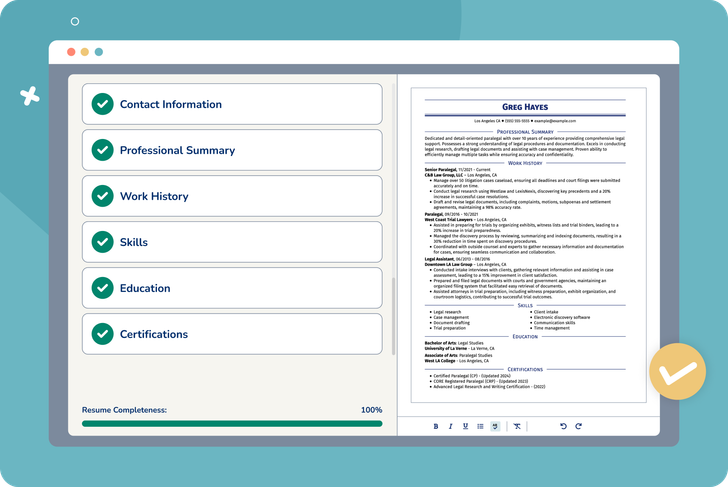
A one-page resume should give employers a clear snapshot of your qualifications without feeling crowded. Include the sections recruiters need most: contact information, a professional summary, relevant work experience, skills, and education or certifications. Keep each section focused on information that supports your fit for the specific role.
Contact Information
Start with a space-saving header that includes your name, phone number, professional email address, location, and, when relevant, a LinkedIn profile or portfolio link. You can place the details on one line and separate them with pipes to preserve vertical space.
For example:
Jordan Lee
Phoenix, AZ | 555-555-5555 | jordan.lee@email.com | linkedin.com/in/jordanlee
Keep your name visually prominent, but avoid an oversized header that takes up space you could use to showcase your qualifications.
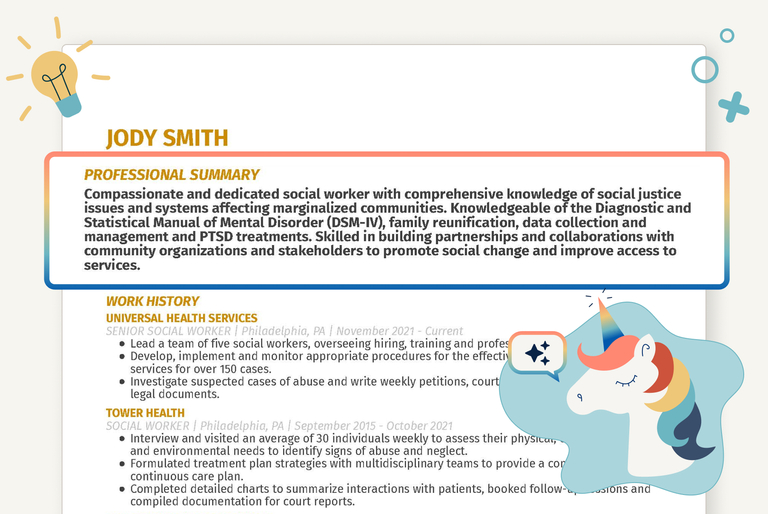
Professional Summary
Use a two- to three-sentence resume summary to introduce your most valuable qualifications. A strong summary typically combines your years of experience, one or two core strengths, and a standout accomplishment or area of expertise.
For example:
PROFESSIONAL SUMMARY
Project manager with eight years of experience leading cross-functional technology projects. Skilled in process improvement and stakeholder management, with a track record of delivering projects on time and reducing operational delays.
Keep this section specific. Generic statements about being hardworking, motivated, or results-driven use valuable space without telling an employer what distinguishes you.
Work Experience
Your work experience will usually take up the most space, so prioritize the two or three positions most relevant to your target job. For each role, include your job title, employer, location, dates of employment, and three to five concise bullet points.
Focus those bullets on accomplishments rather than listing every responsibility. Start with strong action verbs and quantify your impact when possible.
For example:
WORK EXPERIENCE
Customer Service Manager
Brightline Retail | Phoenix, AZ | 2025–Present
- Managed a 12-person team and improved average response times by 18%.
- Created a new onboarding process that reduced training time by 25%.
- Analyzed customer feedback and introduced service improvements that increased satisfaction scores by 12%.
You can shorten or omit older positions when they don’t strengthen your application.
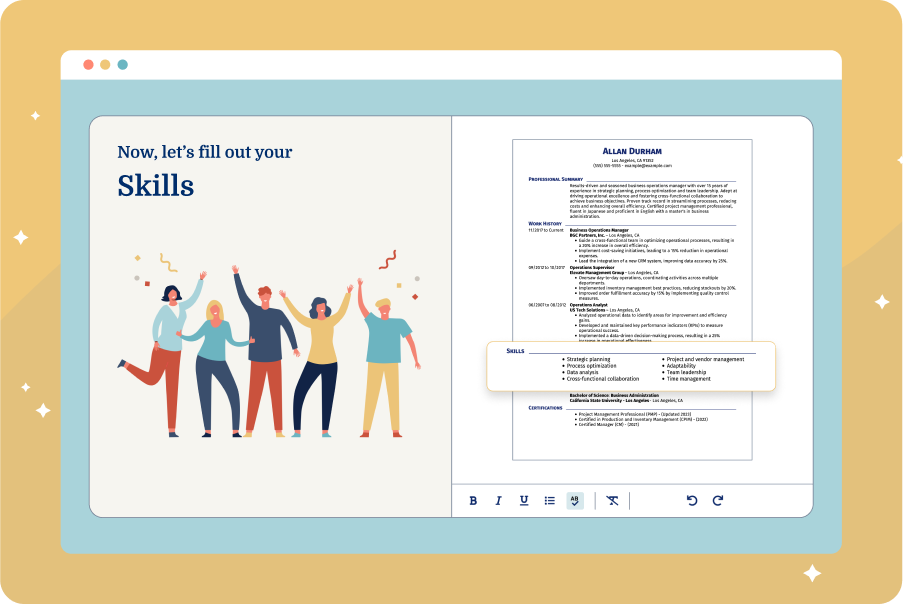
Skills
Create a compact, scannable skills section featuring qualifications that match the position. Review the job description for relevant resume keywords, then include the skills you genuinely possess.
A single-line list or simple, text-based grid can save space while making your qualifications easy to find. Avoid complex tables or text boxes that some ATS may struggle to parse. Depending on the role, this might include a mix of technical skills, industry knowledge, software proficiency, and other job-specific capabilities.
For example:
Skills: Project management | Microsoft Excel | Salesforce | Data analysis | Process improvement | Stakeholder communication | Agile methodologies
Choose skills relevant to the specific job rather than filling the section with broad traits like “hardworking” or “team player.”
Education & Certifications
Keep your education section lean. In most cases, your degree, school, and location can fit within one or two lines. You generally don’t need to include coursework or other details once you have substantial professional experience.
For example:
EDUCATION
BS in Business Administration
Arizona State University | Tempe, AZ
If you’re a recent graduate or applying for a role where education matters most, you can include details like a relevant concentration, academic honors, or selected coursework.
For example:
EDUCATION
BS in Computer Science
University of Arizona | Tucson, AZ | 2025
Relevant Coursework: Data Structures, Database Systems, Software Engineering
Use the same approach for relevant certifications. Include credentials that strengthen your candidacy, but leave out expired, outdated, or unrelated certifications when space is limited.
For example:
Certifications: Project Management Professional (PMP) | Certified ScrumMaster (CSM) | Google Data Analytics Certificate
Choosing Your Format: Matching Templates to Career Stages
The best one-page resume format depends on your experience, career path, and the qualifications you want employers to notice first. Choosing the right structure helps you use limited space effectively while keeping your resume easy to scan.
One-Page Chronological Resume
A chronological resume is a strong choice if you have a consistent employment history and want to showcase your career progression. It places your work experience front and center, listing positions in reverse-chronological order so employers can quickly see your most recent accomplishments.
This format works particularly well for experienced candidates applying for positions that align with their previous roles. For a one-page version, use most of the space for your recent, relevant experience and condense older positions.

One-Page Combination Resume
A combination resume balances skills and work experience. It can be especially useful for career changers, experienced professionals with a broad skill set, or candidates whose strongest qualifications aren’t immediately obvious from their job titles.
Use the skills section to highlight relevant strengths and transferable abilities, then support them with a concise employment history. This structure can help you show what you can do without sacrificing the career context employers need.

One-Page Functional Resume
A functional resume emphasizes skills and qualifications over a traditional chronological work history. It can be useful for candidates with limited professional experience, employment gaps, or relevant abilities gained through volunteering, freelance work, education, or other nontraditional paths, although some employers prefer to see a clear chronological work history.
Because this format gives less space to employment history, connect your skills to concrete accomplishments whenever possible. Specific examples help employers understand how you’ve used those abilities, rather than simply listing strengths.

Explore our free resume templates to find professionally designed options for different industries and career stages.
One-Page Resume Template to Copy & Paste
Use this one-page resume template as a starting point for creating a concise, targeted resume. Replace the bracketed text with your information, prioritizing experience, skills, and accomplishments that match the job description.
[FULL NAME]
City, State | Phone | Email | LinkedIn/Portfolio URL(s)
Professional Summary
[2–3 sentences highlighting experience, strongest qualifications, and a key achievement.]
Experience
[Job Title] | [Company] | [Dates]
- [Action verb] + [what you did] + [measurable result].
- [Action verb] + [achievement] + [impact].
- [Action verb] + [relevant responsibility or result].
(Repeat for the top 2–3 relevant roles.)
Skills
[Skill] | [Skill] | [Skill] | [Skill] | [Skill]
Education
[Degree] | [School]
Certifications
- [Relevant certification, if applicable]
You can also browse our library of resume examples for inspiration or use the MyPerfectResume AI Resume Builder for step-by-step guidance and professionally crafted content suggestions. Keep each entry brief so the finished resume remains easy to scan and fits comfortably on one page.
How to Fit a Resume on One Page: What to Leave Out
Fitting a resume on one page usually requires cutting information, not shrinking everything to fit. Start by removing details that don’t help demonstrate your qualifications for the specific role. This gives your most relevant experience, skills, and accomplishments more room to stand out.
- References: Leave references and the phrase “References available upon request” off your resume. Employers generally request references later in the hiring process, so there’s no need to use valuable resume space for them. Keep a separate reference list ready to share when asked.
- Hobbies and interests: Hobbies and interests usually don’t need to appear on a one-page resume unless they’re relevant to the position or demonstrate something meaningful about your qualifications. For example, volunteer leadership could support an application for a management role. Otherwise, prioritize professional experience and skills.
- Outdated or generic objective statements: Most experienced professionals benefit more from a targeted summary that highlights their value. Resume objectives can still work for recent graduates, career changers, or those entering a new field when they clearly show goals and transferable skills.
- High school education: Once you have a college degree or substantial professional experience, you can usually remove your high school information. Recent graduates and job seekers whose highest level of education is high school may still want to include it.
- Unrelated roles and skills: Focus on the experience and skills that support your current career goals, and remove or condense older, redundant positions and outdated abilities. Prioritize relevant hard and soft skills, and make sure every line strengthens your case as a strong fit for the job.
- Unnecessary personal information: Leave off personal details, such as your age, marital status, religion, or photograph, unless local application standards specifically require them. Your contact information and job-relevant qualifications are generally all employers need.
Micro-Formatting Hacks to Save Space in Your Resume
Once you’ve removed unnecessary content, small formatting adjustments can help your resume fit on one page without sacrificing readability. Focus on using space efficiently rather than squeezing in more text. A clean, balanced layout should still be easy for recruiters and ATS to scan.
- Adjust your margins. Standard 1-inch margins work well when you have enough space, but you can reduce them slightly when needed. Keep margins at 0.5 inch or larger. Going smaller can make your resume look crowded and may cause printing issues.
- Use a professional, readable font. Resume fonts like Arial, Calibri, or Garamond naturally take up less space and may eliminate an extra line or two. Keep body text at 10–12 points (never below 10 just to fit one page), and use slightly larger text for your name and section headings to create a clear visual hierarchy.
- Tighten line and paragraph spacing. Set line spacing between 1.0 and 1.15, and check for unnecessary spacing before or after paragraphs, headings, and bullet points. Removing a few extra points of paragraph spacing throughout the document can save significant room without making the page harder to read.
- Look for short wrapped lines. Scan your resume for entries where a single word or short phrase wraps onto a second line. Small edits can often pull that text back onto the previous line and free up vertical space, which is especially useful in a resume headline or resume profile, where a few unnecessary words can take up an entire extra line.
- Keep bullet points short. Aim for one or two lines, start with strong action verbs, remove filler words, and use numbers to communicate results efficiently. Concise bullets don’t just save space—they also make accomplishments easier to spot during a quick scan.
Regardless of the format, hiring managers prefer resumes that clearly highlight relevant skills and accomplishments, making it easy to see you’re a great fit for the role.
—Dr. Jasmine Escalera, Career Expert
Take the Next Step in Your Career
Key Takeaways
- Audit your recent experience. Review roughly the last 10–15 years of your work history and prioritize roles, skills, and accomplishments that support the position you’re targeting. Condense or remove older information that no longer adds value.
- Make your header work harder. Put your phone number, email address, location, and relevant professional links on a single line separated by pipes. This preserves valuable vertical space without sacrificing essential contact information.
- Prioritize results over responsibilities. Use concise bullet points with strong action verbs and quantifiable accomplishments to show employers what you achieved, not just what you were assigned to do.
- Edit before you shrink. Remove unnecessary content before reducing margins, font size, or spacing. Keep margins at least 0.5 inch and body text at 10 points or larger so your resume remains readable.
- Check your resume before applying. Use our ATS Resume Checker to identify potential formatting and content issues. Then save your resume in the file type the employer requests. If PDF is accepted, it can help preserve your carefully adjusted one-page layout.
Frequently Asked Questions
Is it okay for a resume to be one page?
Yes. A one-page resume is often a good choice for recent graduates, early-career professionals, and job seekers with less than 10 years of relevant experience. It can also work for more experienced candidates if one page provides enough room to show their strongest qualifications. The right resume length depends on your experience and the position.
Do employers like one-page resumes?
Employers generally like one-page resumes when they’re concise, relevant, and easy to scan, but they don’t require a specific page count. If you need a second page to include meaningful, job-relevant experience, use it rather than cutting valuable qualifications.
What font size should a one-page resume use?
Use a font size between 10 and 12 points for the main text of a one-page resume. Don’t reduce body text below 10 points just to fit everything. You can make your name and section headings larger to establish hierarchy. Choose a professional, readable typeface and adjust unnecessary content, margins, or spacing before making the text smaller.
Can an experienced professional have a one-page resume?
Yes, experienced professionals can use a one-page resume when they can present their most relevant qualifications without omitting information that matters to the employer. You don’t need to document your entire career. Focus on what belongs in your resume for the specific role, prioritizing recent accomplishments and relevant experience over older or unrelated positions.
Is a one-page resume better for ATS?
No. A one-page resume isn’t automatically better for ATS. Compatibility depends more on readable formatting, recognizable section headings, relevant keywords, and a file type the system can process. Whether your resume is one or two pages, an ATS-friendly resume should use a clear structure and job-relevant information that the software can identify and organize accurately.
How We Reviewed This Article
Since 2012, we have helped more than 11 million job seekers. We want to make your career journey accessible and manageable through our services and Career Center’s how-to guides and tips. In our commitment to bring you a transparent process, we present our Editorial Process.


Elizabeth is a Certified Professional Resume Writer (CPRW) and a member of the Professional Association of Resume Writers & Career Coaches. She is committed to helping job seekers navigate the job market and succeed in their careers.
More Articles by Elizabeth Muenzen, CPRWShare this page
 Add MyPerfectResume as a preferred source on Google
Add
Our customers have been hired at:*Foot Note