How to Create a CV With ChatGPT (Prompts & Expert Tips)

Our customers have been hired at: *Foot Note


Table of Contents
Get started with MyPerfectResume today!
- Build a resume on any device
- Pick an ATS-friendly template
- Tailor with AI copy suggestions
When used strategically, ChatGPT can help you structure your CV, generate bullet points, tailor content to a job description, and improve clarity and tone.
The key is knowing what to ask and how to edit the output to reflect your qualifications, with the understanding that AI should support your writing process rather than replace it.
In this guide, we’ll walk you through how to create a CV with ChatGPT. You’ll find practical prompts and expert tips to help you make a CV using ChatGPT efficiently and responsibly.
Can ChatGPT Generate a CV?
ChatGPT can generate a CV by organizing your information into standard sections like a professional summary, work experience, skills, and education.
If you provide details about your background and measurable achievements, it can draft bullet points and tailor content to a specific role.
ChatGPT is an AI-powered chatbot that uses natural language processing (NLP) to generate conversational responses. It’s built on GPT (Generative Pre-Trained Transformer) architecture, a deep learning model trained on large datasets to understand and produce human-like text.
While the advanced technology powering ChatGPT can generate a complete CV draft, it shouldn’t replace your input or judgment.
The tool works best when you supply accurate, detailed information and use it to refine wording, strengthen accomplishments, and improve structure rather than rely on it entirely.
While ChatGPT can help draft content, our CV Maker transforms it into a fully designed, professional document optimized for applicant tracking systems (ATS). Upload your text or input details directly to create a ready-to-use CV that stands out to employers.
3 Steps for Creating a CV With ChatGPT
Using ChatGPT to write a CV works best when you approach it as a collaborative tool rather than a replacement for your own input. Explore key steps and effective prompts below.
Step 1: Gather Your Information
To get useful results from ChatGPT, start by gathering complete and accurate details about your background, including your work experience, education, skills, and key achievements.
AI works best with clear, specific information, so think of this step as gathering the raw materials to craft tailored CV sections. Here’s a closer look at key information to have ready:
- Education: List your educational qualifications in reverse-chronological order. Include the name of the institution, degree earned, major or field of study, and graduation date. Optionally, include academic honors, awards, or relevant coursework.
- Work experience: List your work experience in reverse-chronological order. Include the name of the company or organization, your job title, dates of employment (month and year), and a brief description of your responsibilities and achievements.
- Skills: Include both hard skills (technical skills, software proficiency, language proficiency) and soft skills (communication skills, leadership abilities, teamwork).
- Certifications and licenses: List any relevant certifications, licenses, or professional memberships. Include the name, issuing organization, and the date obtained.
- Projects or research: Include any significant projects, research, or publications relevant to your field. Provide details about your role, contributions, and outcomes.
- Volunteer work or extracurricular activities: Include any volunteer work, internships, or extracurricular activities that demonstrate relevant skills or experiences. Highlight leadership roles or achievements within these activities.
Step 2: Draft Sections Individually
Instead of asking ChatGPT to create your entire CV at once, focus on one section at a time. Start with your professional summary, then move to work experience, education, and skills.
Drafting sections individually gives you more control, allows for precise edits, and ensures that each part clearly highlights your strengths. Explore section-by-section prompts below.
Professional Summary
Your professional summary is the first thing recruiters read, so it should be concise and compelling. Think about your core strengths, experience, and career goals before drafting.
Then feed these details to ChatGPT for a polished summary:
“Write a three- to four-sentence professional summary for a CV based on this background: [insert your key skills, years of experience, and career goals]. Make it concise, impactful, and tailored to [specific job title].”
Work & Research Experience
Focus on achievements from your work history rather than just listing duties. Include measurable results, responsibilities, and tools you used.
Use ChatGPT to turn raw information into strong, action-oriented bullet points:
“Create bullet points for my work experience at [Company Name]. Include my role as [job title], with these [main responsibilities] and [measurable achievements]. Keep each point action-oriented and results-focused.”
Here’s a sample prompt if you have research experience to include on your CV:
“Write a CV section for my research experience. Include these [project titles], my role as [explain your role], key contributions in [list your contributions], and these [results or outcomes]. Format it with concise bullet points.”
Education
Your education section should highlight degrees, certifications, and relevant coursework. Keep formatting clean and professional. ChatGPT can organize this information neatly:
“List my education details for a CV, including [degrees], [institutions], [graduation dates], and [any honors or relevant coursework]. Format it cleanly and professionally.”
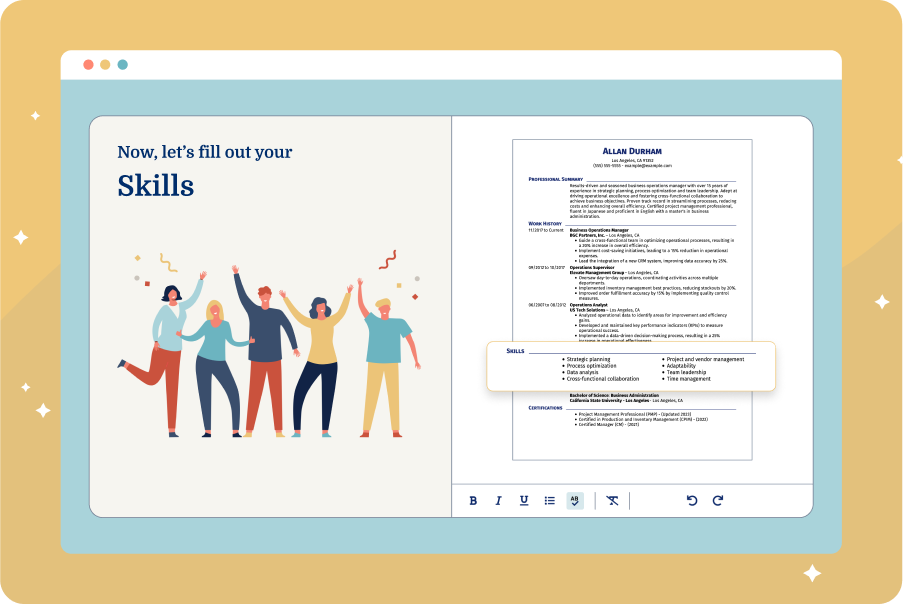
Skills
A strong skills section quickly shows your qualifications. Think about both hard and soft skills relevant to the job. Let ChatGPT help format them into a concise list:
“Generate a list of key skills for my CV based on this experience: [insert relevant skills, software, and tools]. Organize them in a clear, easy-to-read format.”
Certifications
Your certifications show specialized knowledge and credibility. Include the name, issuing organization, and date earned. Use ChatGPT to format them neatly and highlight relevance:
“Create a professional CV section for my certifications. Include [list your certifications], [issuing organizations], and [dates earned]. Format it clearly and concisely.”
Awards & Publications
List awards and honors with the award name, issuing body, and year. ChatGPT can help make these accomplishments stand out:
“Generate a CV section for awards and honors. Include [list your awards], [the organization that issued them], and [the year received]. Present them in a concise, professional format.”
Listing publications is essential for academic, scientific, or technical CVs. Include title, journal or publisher, date, and co-authors. ChatGPT can help format this professionally:
“Create a publications section for my CV. Include [each publication’s title], [co-authors], [journal or publisher], and [date]. Format it in a clean, professional style suitable for a CV.”
Revise and try out different prompts to explore several variations to fine-tune your CV, highlighting specific skills or accomplishments that best match the job you’re targeting.
Step 3: Check Accuracy & Tone
After drafting each section with ChatGPT, review and refine the content to ensure it accurately reflects your experience, emphasizes your key achievements, and conveys your unique voice.
Careful editing keeps your CV authentic, avoids generic phrasing, and highlights what sets you apart from other candidates. Focus on clarity, conciseness, and relevance; remove repetitive points, strengthen wording for impact, and include specific metrics or results whenever possible.
You can copy and paste the ChatGPT-generated content to a separate document and upload it to our CV Maker to instantly transfer it to one of our professional CV templates. You’ll also get expert insights and content suggestions written by Certified Professional Resume Writers (CPRW).
Tips for Improving Your CV With ChatGPT
If you already have a CV, ChatGPT can help you refine and enhance it rather than starting from scratch. Use the AI to improve wording, clarify achievements, strengthen bullet points, and ensure your content is tailored to specific roles.
Enhance Word Choice
ChatGPT can improve an existing CV by replacing passive language with action verbs and improving clarity, conciseness, and emphasis on measurable impact.
Here are a few prompts you can use to ask ChatGPT to improve your word choice:
“Suggest stronger verbs and phrasing for this CV work history section to better highlight accomplishments: [insert text].”
“Rewrite these CV bullet points to make them more concise, impactful, and results-oriented, emphasizing measurable achievements: [insert bullet points].”
“Refine this CV section to sound professional and polished, removing jargon or overly casual language: [insert text].”
“Simplify and clarify these technical or complex bullet points so they’re easy for recruiters to understand, without losing important details: [insert text].”
Optimize for Keywords
Many employers use applicant tracking systems (ATS) to scan CVs for relevant keywords before a human ever sees them. Optimizing your existing CV with industry-specific terms, skills, and phrases increases your chances of passing these filters and catching a recruiter’s attention.
Here are a few example prompts you can use with ChatGPT:
“Analyze my CV for missing keywords relevant to [specific job title] and suggest additions to improve ATS compatibility: [insert CV text].”
“Rewrite my CV sections to include these target keywords [insert list] in a natural, professional way without overstuffing: [insert CV text].”
“Compare my CV to this job description [insert job description] and suggest edits to align skills, responsibilities, and accomplishments with the keywords used in the listing.”
You can also upload your CV to our ATS Resume Checker to get a personalized resume strength score and actionable tips for improving the content and layout for ATS compatibility.
Target a Specific Role
ChatGPT can help you adapt your existing CV to match the requirements and language of the position, making your application more compelling to both recruiters and ATS systems.
Here are prompts you can use to align your experience with the job:
“Revise my CV to emphasize the experience and skills most relevant to this job description: [insert job description and current CV text].”
“Rewrite my professional summary to target [specific job title], showcasing relevant achievements and strengths: [insert summary].”
“Adapt my work experience bullet points to show accomplishments most relevant to [specific role], adding measurable results where possible: [insert CV text].”
We also recommend checking out our library of CV examples for real-world samples tailored to different jobs and industries.
Incorporate Feedback
ChatGPT can help you integrate feedback from peers, mentors, or friends you shared your CV with. Here are a few prompts you can use to implement feedback:
“Based on this feedback [insert feedback], rewrite my CV section to address the concerns and improve clarity, impact, and professionalism: [insert CV text].”
“Compare my current CV with this revised version [insert text] and suggest improvements to make it more polished and effective.”
“Edit my CV according to this feedback to ensure it sounds professional, concise, and easy to read for recruiters: [insert CV text and feedback].”
“Help me integrate these notes [insert feedback] into my CV while keeping my accomplishments and key details accurate and compelling.”
Explore our ChatGPT cover letter and ChatGPT resume guides for tips on how to use AI to craft your job applications.
Key Takeaways
- Provide detailed background information. Give ChatGPT comprehensive details about your work experience, education, certifications, skills, and notable achievements. The more context you provide, the more accurate and relevant the generated CV will be.
- Use tailored prompts for each section. Ask ChatGPT to create each part of the CV individually, such as a professional summary, work experience, education, and skills, emphasizing accomplishments that align with the job description.
- Highlight measurable achievements. Focus on results and impact in your work history rather than just listing duties. For example, include metrics like “increased sales by 20%” or “managed a team of 10,” which ChatGPT can help phrase effectively.
- Refine and personalize the content. Review and edit the AI-generated text to ensure it reflects your authentic voice, removing overly generic phrases or jargon that may not match your style.
- Proofread for accuracy and clarity. Carefully check grammar, spelling, and consistency, since AI may occasionally make subtle errors or awkward phrasing that could affect readability.
- Iterate and experiment with prompts. Don’t settle for the first draft. Test multiple prompts and variations to refine your CV, emphasizing different strengths or achievements depending on the role you’re applying for.
- Use professional templates and additional tools. Pair ChatGPT’s content with our CV Maker and professional templates to create a polished, visually appealing, and well-formatted CV that stands out to recruiters.
FAQ
Do employers check for AI in CVs?
Yes, some employers and recruiters are starting to use tools to detect AI-generated content in CVs, especially for high-volume applications.
But most employers focus on verifying the accuracy, clarity, and relevance of your experience rather than on how your CV was written.
To avoid issues, always personalize AI-generated text, include concrete achievements, and ensure your CV reflects your authentic voice. This makes it effective and credible, even if AI was used as a writing aid.
Is there a ChatGPT CV maker?
ChatGPT doesn’t include a built-in CV maker, but there are ChatGPT‑powered CV maker tools and custom GPTs designed specifically to help craft CVs.
These include community‑made tools within the ChatGPT ecosystem as well as third‑party AI CV creators that use ChatGPT technology. For example, you can use Resume Now’s custom GPT to review and refine your CV or resume for your next job application.
What are the downsides of using ChatGPT for CVs?
While ChatGPT can help draft and polish CVs, it has limitations. AI may produce generic phrasing, overlook important details, or misrepresent your experience if prompts aren’t specific. It can also make minor grammar or formatting errors.
To avoid issues, carefully review, personalize, and fact-check all AI-generated content so your CV accurately reflects your skills and achievements.
Can employers tell if you use ChatGPT for your CV?
In most cases, employers can’t tell if a CV was written using ChatGPT; however, AI-generated text can sometimes appear overly generic or formulaic, which might raise questions. To ensure your CV feels authentic, customize AI-generated content with specific achievements, personal details, and your own voice so it reads naturally.
What is the best AI tool for CV writing?
MyPerfectResume is one of the best AI tools for CV writing. The CV Maker and professional templates help job seekers create professional, ATS‑friendly documents with customizable templates, job‑specific content suggestions, and tips for stronger phrasing. It guides you step‑by‑step and offers downloadable formats like PDF and Word.
How we reviewed this article
Since 2012, we have helped more than 11 million job seekers. We want to make your career journey accessible and manageable through our services and Career Center’s how-to guides and tips. In our commitment to bring you a transparent process, we present our Editorial Process.
Rate this article
ChatGPT CV


Elizabeth is a Certified Professional Resume Writer (CPRW) and a member of the Professional Association of Resume Writers & Career Coaches. She is committed to helping job seekers navigate the job market and succeed in their careers.
More Articles by Elizabeth Muenzen, CPRWShare this page
 Add MyPerfectResume as a preferred source on Google
Add
Our customers have been hired at:*Foot Note