Our customers have been hired at: *Foot Note


Table of Contents
Get started with MyPerfectResume today!
- Build a resume on any device
- Pick an ATS-friendly template
- Tailor with AI copy suggestions
What to Expect
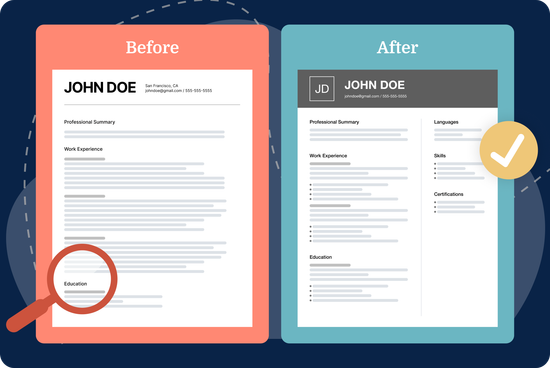
- Updating your resume regularly helps keep your skills, experience, accomplishments, and credentials up to date.
- An effective resume update focuses on recent, relevant information and removes details that no longer support your career goals.
- Key areas to review include your contact information, summary, work history, education, skills, certifications, formatting, and overall design.
- Tailoring your resume to each job can help you emphasize relevant qualifications and keywords employers are looking for.
- A final review for errors, outdated information, and compatibility with applicant tracking systems (ATS) can help ensure your updated resume is ready to submit.
Your resume is one of the most important tools in your job search. It’s your chance to make a strong first impression on potential employers and show them why you’re a strong candidate for the job.
In this guide, we’ll show you how to update your resume step by step, from removing outdated information to tailoring your content and optimizing your resume for ATS screening.
Why Updating Your Resume Is Important
Keeping your resume up to date helps you stay prepared for new opportunities and ensures employers see your most recent qualifications. Even if you’re not actively applying for jobs, writing a strong resume and keeping it current makes it easier to track your career progression and keep your accomplishments organized.
You can upload your resume to our Resume Builder to easily improve the layout and content. Here are a few key reasons why regular resume updates are important:
- Prepare for unexpected opportunities. You never know when a recruiter might reach out with a great job offer or when an internal promotion could arise. A well-maintained resume ensures you’re always prepared.
- Adapt to industry trends and ATS requirements. As resume trends change and ATS software evolves, optimizing your resume ensures it remains competitive and up to date.
- Showcase your latest accomplishments. Adding your latest experience, certifications, and relevant projects helps you capture your career progress accurately while it’s fresh in your mind.
- Make the process less overwhelming. Waiting years to improve your resume can make the process daunting. Regular resume updates make it easier to manage and keep your information relevant.
Fix Your Resume in Minutes
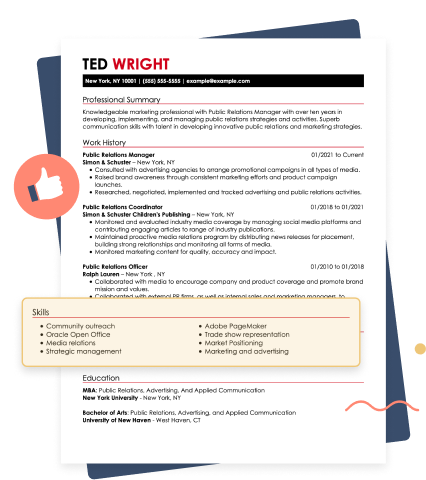
How to Update Your Resume
A clear, concise, and well-organized resume shows you’re proactive, professional, and attentive to details—qualities all employers look for. Learn how to edit your resume step by step below.
Step 1: Improve Your Resume Header
A well-structured resume header makes it easy for hiring managers to find your contact details and reach out to schedule an interview.
When reviewing and updating your resume header, consider these simple improvements:
- Use a streamlined location. Listing your city and state (or country for international roles) provides enough context without taking up unnecessary space.
- Keep formatting clean and readable. Make your name slightly larger (around 14–16 points), and use a simple font style to maintain a polished, professional look.
- Limit contact details. Include one phone number and one email address to keep your header uncluttered and easy to scan.
- Add only relevant links. Include career-focused links such as LinkedIn or an online portfolio that support your experience and goals.
Step 2: Tailor Your Professional Summary
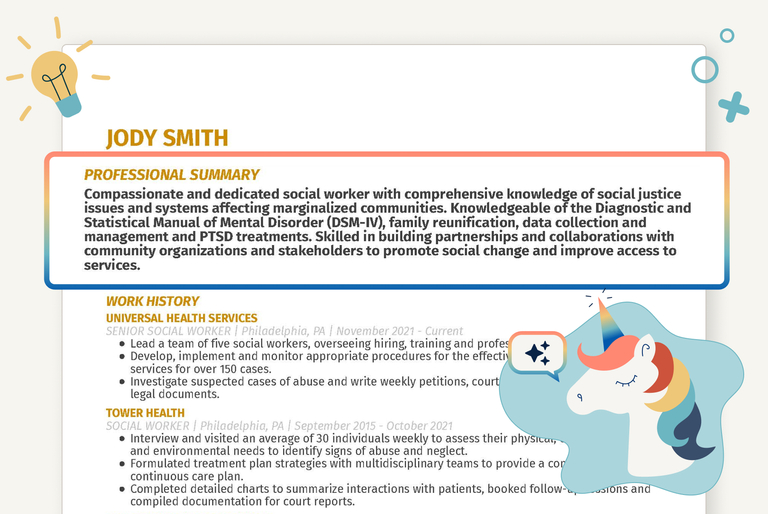
A strong resume summary quickly highlights your key qualifications, career achievements, and the value you bring to potential employers.
Your summary should typically be two to four sentences long, highlighting your most relevant qualifications without unnecessary details.
Recruiters review resumes quickly, so make sure your summary includes job-relevant skills and expertise. Integrate keywords from the job description to help your resume align with the role and improve its ATS compatibility.
Hardworking and detail-oriented professional seeking a position in marketing. Passionate about social media, content creation, and working with teams. Looking for an opportunity to grow and contribute to a company’s success.
Results-driven marketing professional with 5+ years of experience in digital strategy, brand management, and content marketing. Proven ability to increase engagement and drive revenue through data-driven campaigns. Adept at SEO optimization, social media strategy, and project management to enhance brand visibility and customer retention.
If you have limited work experience or are changing careers, a resume objective may be a better way to introduce your qualifications and career goals.
Free AI Resume Summary Generator
Upload your resume, and our AI will generate a professional resume for you.

 Generate my summary



Step 3: Add New Work Experience
Your resume’s work history section must showcase your most recent and relevant jobs so that potential employers can see how your experience aligns with the role.
You can improve the work experience section by adding your most recent positions and removing jobs that aren’t relevant to the role you’re applying for. Here are a few key tips:
- Remove outdated roles. Employers typically focus on recent experience. Consider removing jobs older than 10–15 years unless they’re highly relevant. Alternatively, you can create a “Previous Experience” section with only job titles and company names.
- Use action-oriented language. Use action verbs to demonstrate your impact. For example, instead of “Responsible for handling customer complaints,” say, “Resolved 95% of customer complaints on first contact, improving satisfaction scores by 30%.”
- Tailor to the job you’re applying for. Reword responsibilities to align with the job description, include relevant keywords, and prioritize accomplishments that demonstrate your fit.
- Quantify your accomplishments. Whenever possible, add numbers to illustrate the impact of your work. For example, instead of “Managed a team of employees,” you can say, “Managed a team of 10, resulting in a 15% increase in sales.”
Step 4: Refresh Your Education Credentials
Update your resume education section to accurately reflect your academic credentials and achievements, highlighting projects or research experience relevant to your industry.
Start by reviewing your educational background and identifying new degrees or courses you’ve completed since your last resume update. Here are some tips to get started:
- List your educational credentials in reverse-chronological order, starting with your most recent degree or other academic credential.
- Include the institution’s name, the degree you earned, the major or field of study, graduation date, and any academic honors or awards you received.
- Be concise and clear in your descriptions to present your educational background with focused, easy-to-scan details.
- Tailor your education section by emphasizing any specialized skills or knowledge gained through your education that demonstrate your qualifications.
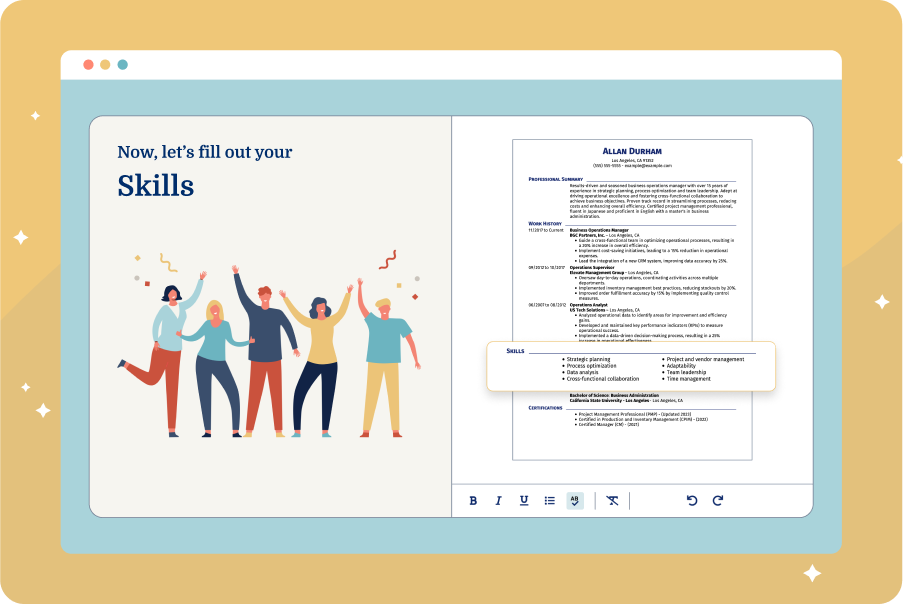
Step 5: Improve Your Skills Section
Updating your resume skills section regularly is vital. Keep track of the skills you acquire in your current job, volunteer roles, or freelance gigs, and add them to your resume.
In addition to the required skills noted in the job description, pay attention to preferred skills and add any that match your skill set to stand out from other applicants.
Consider separating your skills into categories, such as technical skills and interpersonal skills, to ensure your skills section is easy to scan.
Where possible, include specific examples or achievements demonstrating your proficiency in each skill under the relevant role.
AI Resume Skills Generator
Step 6: Add New Certifications & Awards
Update your resume with recent awards, honors, certifications, and relevant publications to showcase your achievements and qualifications.
Prioritize industry-recognized credentials and update your resume to highlight the most job-relevant certifications and awards.
Here’s a strong example of a certifications section on a resume:
Certifications & Licenses
AWS Certified Solutions Architect – Associate
- Amazon Web Services | Expires: May 2027
Project Management Professional (PMP)
- Project Management Institute | Expires: Dec 2026
Google Data Analytics Certificate
- Google | Earned: July 2026
Certified Scrum Master (CSM)
- Scrum Alliance | Earned: June 2026
Step 7: Review Your Resume Format
Review your resume format to ensure it still aligns with your experience level and career goals. Most job seekers use a chronological resume, but a functional or combination format may work better in some situations.
Chronological resume (most common): Lists work experience from most recent to oldest; best for those with a consistent career history
Functional resume (skills-based): Focuses on skills rather than work history; less common and best used selectively, but can be suitable for candidates with employment gaps or limited experience
Combination resume (hybrid): Mixes both formats, highlighting skills while maintaining a work history section; can work well for career changers or candidates who want to emphasize transferable skills
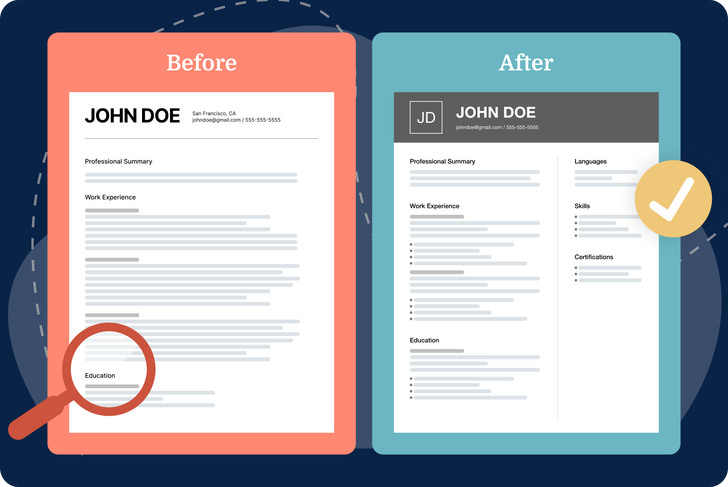
Step 8: Improve the Layout & Design
A strong resume design uses a clean, well-structured layout to improve readability and can make it easier for ATS to parse your information accurately.
Print a copy of your resume or view it on different devices to check for formatting issues. Here are a few key design-related resume updates you can make:
- Optimize margins and white space. Keep margins between 1–1.5 inches, and use white space and line breaks between sections for readability.
- Choose professional fonts. Use professional resume fonts, such as Arial, Times New Roman, or Calibri, in 10–12-point size to ensure consistency throughout your document.
- Use bullet points. List your accomplishments and responsibilities under each job using bullet points for clarity. Keep bullet points short and impactful (one to two lines each).
- Simplify design elements. To ensure an ATS-friendly resume, avoid complex graphics, images, tables, and excessive formatting that can make a resume harder for ATS to parse.
- Use a professional file name. When saving your resume, use a clear and easily identifiable file name, such as “First Name_Last Name_Job Title_Resume.pdf.”
Step 9: Consider a Professional Resume Template
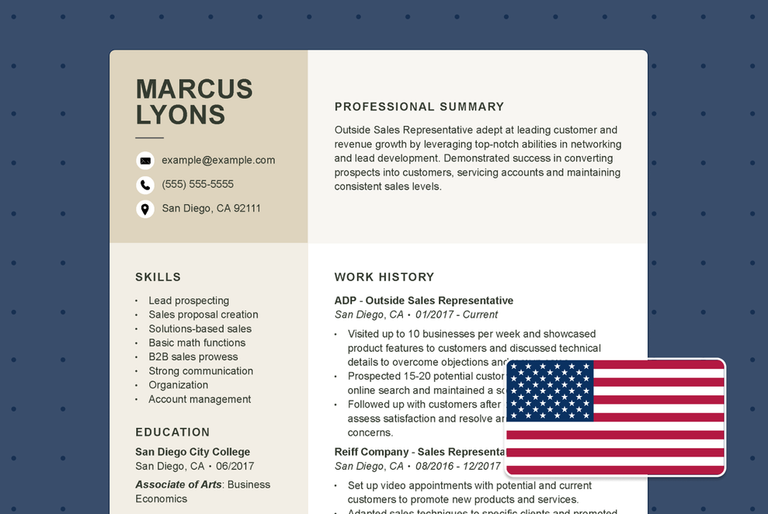
Choose a template that aligns with your industry, experience level, and design preferences. For example, bright colors work for some creative professions, but a more toned-down look is better if you’re in a field like law or medicine.
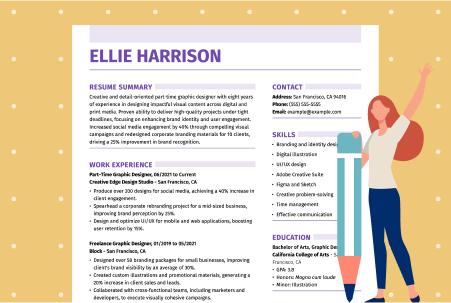
We have a library of best resume templates designed to organize and present your information clearly and effectively. We also recommend exploring professional resume samples for your industry or target role to gain insights and ideas for updating your resume.
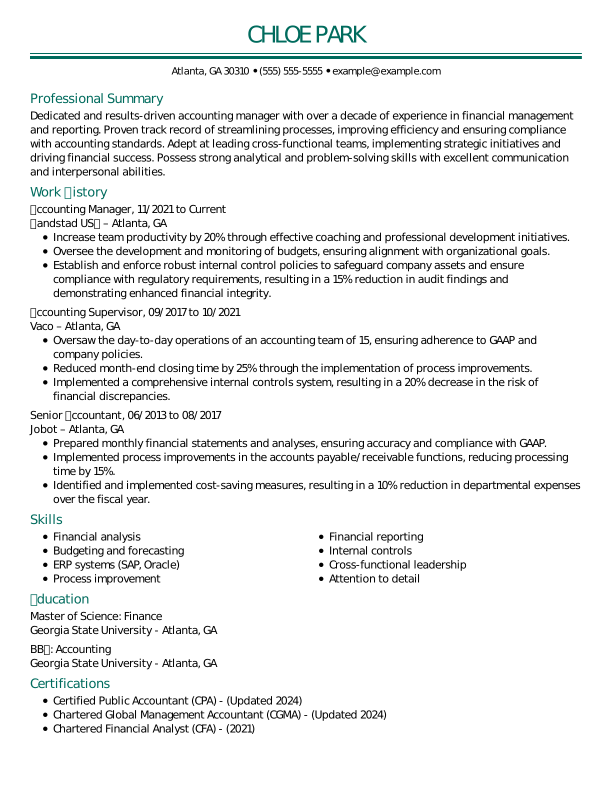
Resume examples can show you how to organize your sections, present your experience, and create a polished look for your industry. For example:
Step 10: Proofread for Errors
Proofread your updated resume before submitting it to catch spelling, grammar, formatting, and factual errors. Review it carefully for outdated information, inconsistent formatting, and unnecessary wording.
Here are some tips for proofreading and editing your resume:
- Verify contact information. Make sure your phone number, email, LinkedIn and/or Bold.pro profile, and other contact details are accurate.
- Watch out for common mistakes. Double-check for typos, homophones (e.g., “there” vs “their”), and incorrect verb tenses.
- Check for consistent formatting. Ensure your font styles, bullet points, spacing, and bold or italicized text are uniform throughout the document.
- Eliminate redundant words. Keep your resume concise by avoiding repetitive words and passive language. Use strong action verbs for maximum impact.
- Read it out loud. Catch awkward phrasing, missing words, and run-on sentences that might not stand out when reading silently.
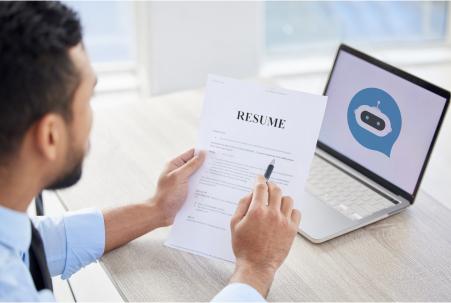
Use our free ATS Resume Checker to scan your resume for over 30 common errors and get instant suggestions to improve your resume score.
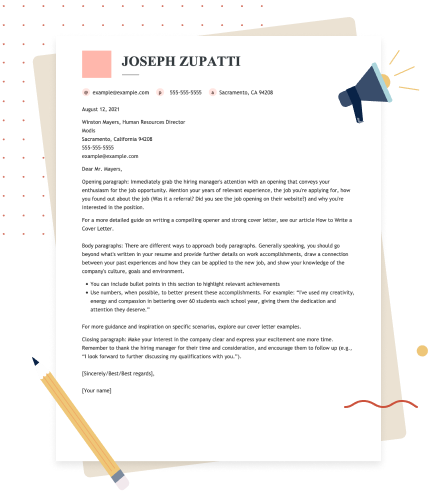
Generate a Matching Cover Letter for Your Resume
Key Takeaways
- Regularly adding new skills, accomplishments, and experiences to your resume keeps you prepared for opportunities.
- Remove outdated roles, redundant details, and unnecessary filler words. Focus on clear, concise bullet points that highlight achievements with measurable results.
- Use a clean, professional layout with consistent fonts, headings, and bullet points. Avoid excessive graphics or formatting to ensure your resume is ATS-friendly.
- Customize your resume by incorporating keywords from the job description and emphasizing the most relevant skills and experiences for each application.
- Carefully review your resume for typos, inconsistencies, and formatting errors. Consider using a resume builder to access professional templates and content suggestions.
Frequently Asked Questions
How do I update my existing resume?
Update your existing resume by reviewing each section and replacing outdated information with your most recent and relevant qualifications. Add new experience, skills, certifications, and accomplishments. Remove irrelevant details, tailor your content to the target job, and proofread the finished document. You can use a resume builder to update your formatting and content more efficiently. For additional guidance, explore expert resume tips.
What is the seven-second rule for resumes?
The seven-second rule refers to the idea that recruiters may spend only a few seconds initially scanning a resume. Make yours easy to scan with clear section headings, concise bullet points, relevant keywords, and measurable accomplishments. Put your most important and job-relevant qualifications where employers can find them quickly.
Can you update your resume after applying?
Yes, you can update your resume after applying, but you may not be able to replace the version you already submitted. If the employer’s application system allows updates, upload the revised version there. Otherwise, bring an updated copy to your interview or provide it to the recruiter if they request additional materials.
What do I do if my resume is too long?
If your resume is too long, remove outdated or irrelevant information and prioritize experience that supports the job you’re targeting. Condense older positions, eliminate repetitive bullet points, and shorten descriptions of routine responsibilities. Most resumes should focus on your most relevant qualifications rather than documenting every job or accomplishment from your career.
How often should you update your resume?
We recommend updating your resume every six to 12 months or whenever you experience a significant career change. Other key times to refresh your resume include when you gain new skills or certifications, after completing a project or achieving a milestone, when your contact information changes, and before applying for a new job.
Can AI update my resume?
AI can help update your resume, but it works best as a support tool rather than a full replacement. You can use AI tools, such as ChatGPT, to refresh wording and structure, rewrite bullet points to make them more concise and results-focused, and improve alignment with a specific job description, but it still requires your input. AI can’t know your exact responsibilities, achievements, or career goals without guidance.
How far back should your resume go?
Your resume should generally focus on your most recent and relevant experience, typically covering the past 10 to 15 years. Older roles can be summarized or omitted if they don’t strengthen your application. Early-career professionals may include internships, volunteer work, or academic projects, while seasoned professionals can emphasize recent accomplishments and leadership experience.
Focus on experience that demonstrates your qualifications without overwhelming readers with outdated or irrelevant information.
How can I tailor my resume to a specific job?
Tailor your resume to a specific job by matching your most relevant skills, experience, and accomplishments to the requirements in the job description. This may involve rearranging sections, emphasizing certain achievements, and incorporating industry-specific keywords.
How We Reviewed This Article
Since 2012, we have helped more than 11 million job seekers. We want to make your career journey accessible and manageable through our services and Career Center’s how-to guides and tips. In our commitment to bring you a transparent process, we present our Editorial Process.
Rate this article
How to Update Your Resume

Marla is a professional resume writer. She is committed to helping job seekers navigate the job market and succeed in their careers.
More Articles by Marla FigueroaShare this page
 Add MyPerfectResume as a preferred source on Google
Add
Our customers have been hired at:*Foot Note