How to Write a Resume: Guide & Examples


Our customers have been hired at: *Foot Note


Table of Contents
Get started with MyPerfectResume today!
- Build a resume on any device
- Pick an ATS-friendly template
- Tailor with AI copy suggestions
Writing an effective resume requires more than listing your experience—it’s about optimizing your resume to highlight your strongest qualifications, relevant skills, and measurable achievements for the jobs you’re targeting.
In this guide, you’ll learn how to write a resume from start to finish, including how to choose the right format, organize each section, tailor your content for the role, and optimize your resume for applicant tracking systems (ATS) and AI-powered screening tools.
Check out this video walkthrough of MyPerfectResume’s Resume Builder to see how you can speed up the process and create a resume right from your phone, tablet, or computer:

Video: How to Make a Resume in 3 Minutes With MyPerfectResume
How to Make a Resume in 7 Steps
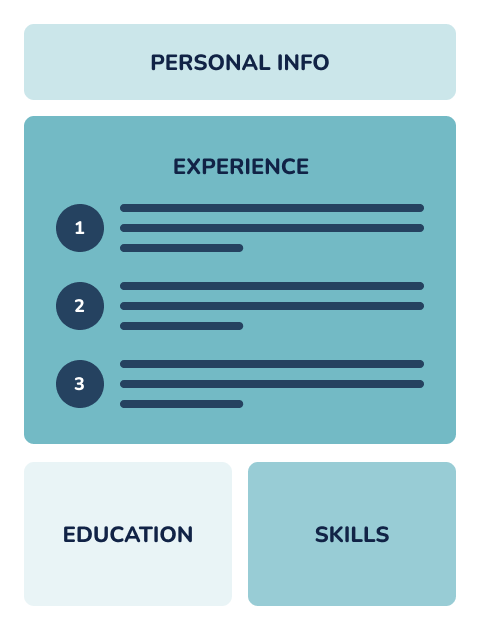
To write a resume for a job, add your contact information, a professional summary, relevant skills, work experience, education credentials, and optional sections tailored to the role.
Below, we’ll break down how to make a resume step by step. You can start with a professional resume template to easily fill out each section while you follow along.
Step 1: Choose the Right Resume Format
Start by choosing a resume format that matches your experience level, career history, and the job you’re applying for. Explore the three primary resume formats to learn how to make a good resume that aligns with your goals and effectively highlights your skills and qualifications.
Chronological Resume
A chronological resume lists your work experience in reverse-chronological order, starting with your most recent role.
This format is best for:
- Most traditional industries
- Candidates with steady work experience
- Professionals with clear career growth
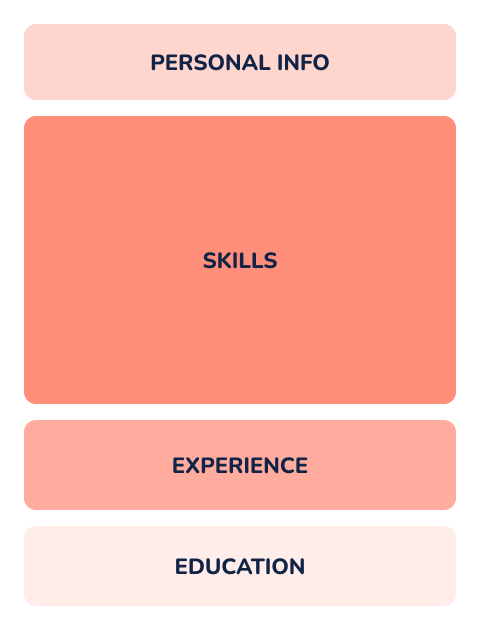
Functional Resume
A functional resume focuses on skills rather than work history, grouping your abilities into categories instead of listing roles in detail.
This format is best for:
- Career changers
- Candidates with employment gaps
- Entry-level applicants with limited experience
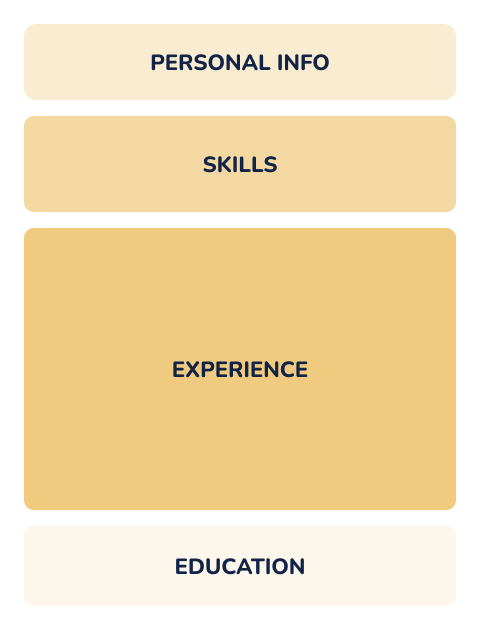
Combination Resume
A combination resume blends elements of both chronological and functional resumes. It highlights key skills at the top, followed by a detailed work history section.
This format is best for:
- Experienced professionals with diverse skills
- Candidates switching industries but with relevant experience
- Roles requiring both technical and transferable skills
Step 2: Add Your Contact Information
Clearly display your contact information so hiring managers can reach out to schedule an interview.
Here’s what to include in your resume header:
- Your full name
- A reliable phone number
- Your professional email address
- Your city and state (zip code optional)
- A link to your professional profile, website, or portfolio (optional)
Explore our library of professional resume examples to see effective ways to display your contact information. Here’s an example to help you get started:
Kathy Baker
kathy.baker@example.com | 555-555-5555 | Milwaukee, WI 53209
Step 3: Write a Professional Summary
Directly under your header, add a three- to five-sentence resume summary highlighting your most relevant skills, experience, and measurable achievements.
Start with your job title or area of expertise, followed by years of experience and key strengths. Include one or two accomplishments (e.g., “Increased revenue by 25%”) to demonstrate impact.
Focus on aligning your background with the job requirements so hiring managers can quickly see your value and why you’re a strong fit. Here’s an example of how to write a resume summary:
Organized and detail-oriented secretary with 5+ years of experience providing administrative support, managing schedules, coordinating communications, and maintaining accurate records. Skilled in calendar management, document preparation, customer service, and office operations. Known for improving office efficiency by streamlining scheduling processes, reducing administrative delays by 20%, and providing reliable support to teams and leadership.
If you’re a first-time job seeker, changing careers, or returning to work after a long absence, you can write a resume objective instead.
A resume objective focuses on your transferable skills and career goals that relate to the role and company. Here’s an example of how to create a resume objective:
Dedicated and organized secretary seeking to leverage strong administrative, communication, and organizational skills to support a busy office environment. Experienced in managing schedules, preparing documents, and assisting with daily operations while maintaining accuracy and professionalism. Eager to contribute to a team by providing reliable administrative support and efficient office coordination.
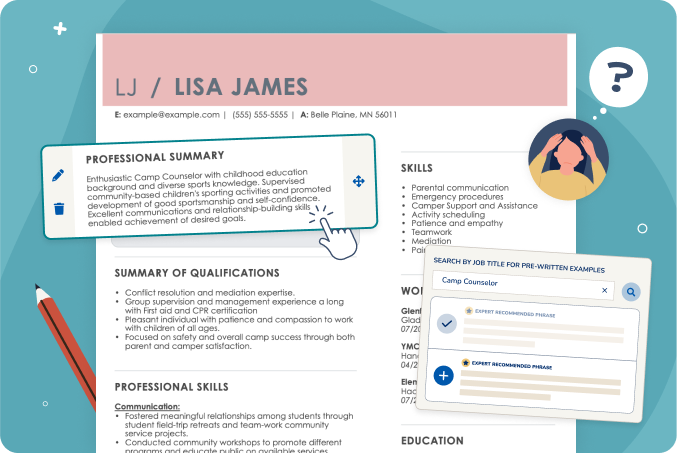
You can use our AI Resume Summary Generator to instantly get a professional summary tailored to your skills and experience.
Step 4: List Job-Relevant Skills
List six to 10 job-relevant skills on your resume, combining hard skills, soft skills, and in-demand technical abilities like AI or automation. Prioritize keywords from the job description so your resume passes ATS filters and quickly shows hiring managers you have the right qualifications.
Hard skills are specific, teachable abilities or knowledge you’ve gained through education, training, or experience (e.g., data analysis, cybersecurity, programming, or AI tools like prompt engineering and automation platforms).
Soft skills are personal qualities and interpersonal abilities that affect how you work and interact with others (e.g., communication, leadership, adaptability, and teamwork).
Focus on the skills most relevant to the role to create an ATS-friendly resume that passes automated screening tools and clearly aligns with what hiring managers are looking for.
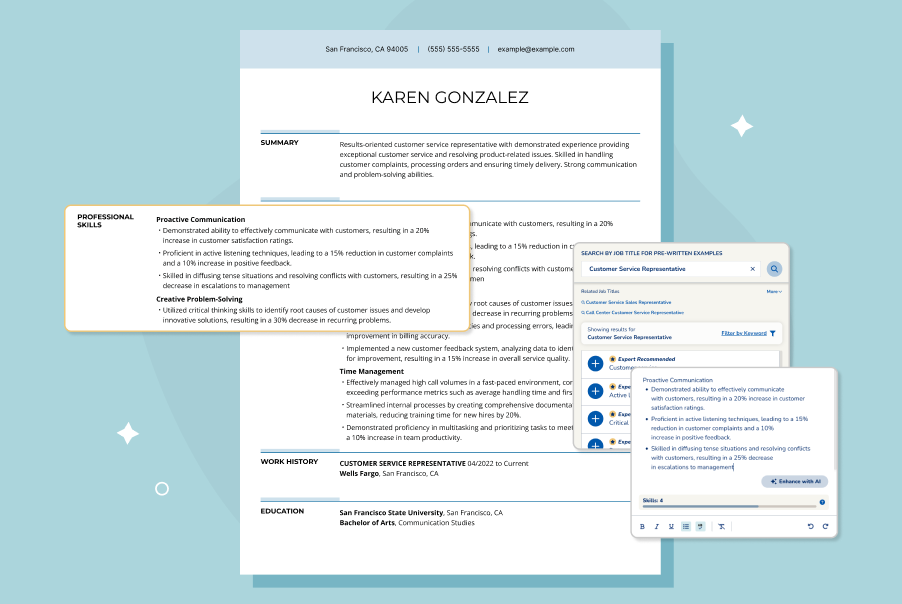
You can use your AI Resume Skills Generator to search for your current or target job title and generate a tailored list of industry-specific skills:
AI Resume Skills Generator

Step 5: Create Your Work History Section
Create your work history section by listing relevant jobs in reverse-chronological order, focusing on accomplishments and impact rather than duties. For each position, include your job title, company name, location, and dates of employment.
Under each role, write three to five bullet points that highlight your measurable achievements. Start each bullet with a strong action verb and include metrics when possible (e.g., “Increased customer retention by 18%” or “Reduced processing time by 30%”).
Tailor your experience to the job description by emphasizing your most relevant contributions. Here’s an example of how to prepare a resume work history section:
WORK EXPERIENCE
Administrative Secretary
Brightview Consulting Services | Chicago, IL
March 2021–Present
- Manage calendars, coordinate meetings, and schedule appointments for a team of 10 executives and department leaders, maintaining 95% scheduling accuracy.
- Respond to 75+ client inquiries weekly, routing communications and providing professional administrative support to maintain efficient office operations.
- Monitor office supply inventory and process 25+ invoices monthly, helping reduce supply shortages and improve purchasing efficiency.
Secretary
Westfield Medical Group | Chicago, IL
June 2018–February 2021
- Scheduled and managed 100+ patient appointments weekly while maintaining accurate records and minimizing scheduling conflicts.
- Processed and updated 200+ patient records monthly while following confidentiality and privacy procedures.
- Assisted with insurance paperwork, billing documentation, and administrative tasks, reducing processing delays by 20%.
Step 6: Add Your Education
Your resume’s education section should list your highest level of education first, including the degree earned, the school’s name, and its location (city and state). Here are a few tips:
- You can include your graduation year if it was within the last five to 10 years. If you haven’t graduated yet, then write your expected graduation date.
- Include the full name of your degree on your resume or the degree you expect to receive. For example, “Bachelor of Science in Nursing” or “Bachelor of Arts in English.”
- Only include high school if you’re a high school student, you didn’t attend university, or if it’s requested in the job description.
Here’s an example of how to write a resume education section:
EDUCATION
Columbia University | New York, NY
Bachelor of Science in Social Work
Step 7: Include Optional Sections
Including optional sections—like certifications, volunteer work, languages, or awards—can help you stand out and showcase additional strengths. Explore optional sections and examples below.
Certifications & Licenses
Create a separate certifications section below your education section to list certifications, licenses, or professional training relevant to the role.
Here’s an example of a current certification on a resume:
CERTIFICATIONS
Microsoft Office Specialist (MOS): Microsoft 365 Apps
- Microsoft | Issued 2026
Certified Administrative Professional (CAP)
- International Association of Administrative Professionals (IAAP) | Issued 2025
Professional in Human Resources (PHR) Certification
- HR Certification Institute (HRCI) | Issued 2024
Here’s an example of an “in-progress” certification on a resume:
CERTIFICATIONS
Certified Administrative Professional (CAP)—In Progress
- International Association of Administrative Professionals (IAAP)
- Expected completion: December 2026
Microsoft Office Specialist (MOS): Microsoft 365 Apps—In Progress
- Microsoft
- Expected completion: September 2026
Here’s an example of a nursing license on a resume:
LICENSES
Registered Nurse (RN) License
State Board of Nursing, State of Illinois
License No. 12345678 | Expires: June 2028
Volunteer Experience
You can include volunteer experience on your resume if it’s relevant to the job, shows transferable skills, or helps fill employment gaps.
Format it like your work history section, highlighting your responsibilities and accomplishments. Here’s an example of how to make a resume stand out by listing relevant volunteer experience:
VOLUNTEER EXPERIENCE
Habitat for Humanity, Volunteer Builder, 2018–Present
- Contribute to the construction and repair of eight homes, helping provide safe, affordable housing for low-income families.
- Collaborate with a team of 10–20 volunteers and staff to complete projects on schedule and within budget, supporting efficient build timelines.
American Red Cross, Volunteer Blood Donor Ambassador, 2017–2018
- Supported 15+ blood drives, assisting 30–50 donors per event with check-in, registration, and donation guidance.
- Helped create a positive donor experience, contributing to high donor satisfaction and encouraging repeat donations.
If you have minimal or no professional experience, consider adding relevant volunteer experience to your work history section. For clarity, include “volunteer” in the job title (e.g., “Volunteer Program Manager”).
Awards, Publications, & Projects
Include awards, publications, or projects on your resume if they’re relevant to the job or demonstrate exceptional achievement. These sections are especially valuable in academic, creative, or research-focused fields.
If the award, publication, or project is tied to your degree, you can include it as a bullet point in your education section below the university or high school name.
Here’s an example of an awards section on a resume:
AWARDS
Employee of the Year
Brightview Consulting Services | 2025
- Recognized for improving administrative processes, providing exceptional client support, and increasing office efficiency through effective organization and communication.
Outstanding Academic Achievement Award
University of Illinois | 2022
- Awarded for maintaining a high academic standard and demonstrating leadership, dedication, and commitment to professional development.
Here’s an example of a publications section on a resume:
PUBLICATIONS
“The Impact of Digital Communication on Modern Workplace Efficiency”
Journal of Business and Administrative Studies | 2025
- Coauthored research examining how digital tools influence collaboration, productivity, and administrative workflows.
“Improving Patient Communication Through Streamlined Office Processes”
Healthcare Management Review | 2024
- Published article exploring strategies for enhancing communication and efficiency in healthcare administrative settings.
Here’s an example of a projects section on a resume:
PROJECTS
Office Workflow Improvement Initiative
Brightview Consulting Services | 2025
- Redesigned digital filing systems and standardized document organization processes, reducing file retrieval time by 30%.
- Created scheduling templates and administrative tracking tools, improving team coordination and reducing scheduling conflicts.
- Collaborated with department leaders to identify process improvements and support more efficient daily operations.
Build Your Perfect Resume
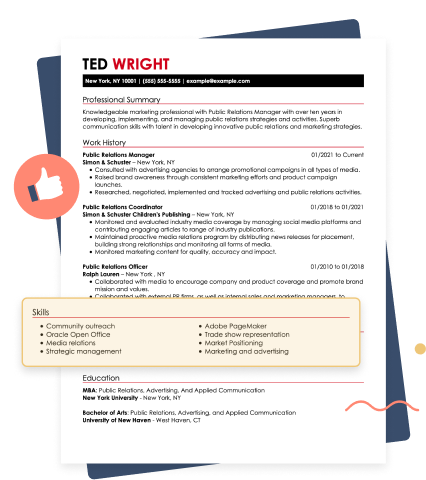
How Do You Write a Resume That Passes ATS & AI Screening?
To write a resume that performs well with ATS and AI screening tools, focus on clear formatting, relevant keywords, and job-specific content so that both recruiters and automated tools can quickly understand your qualifications.
How ATS & AI Resume Screening Works
Most employers now use ATS combined with AI screening tools to scan, rank, and filter resumes before a human reviews them. These systems evaluate resumes based on keyword relevance, formatting, experience match, and context, not just exact keyword matches.
AI tools in 2026 are more advanced—they can:
- Evaluate experience depth and relevance
- Understand synonyms and context (e.g., “managed” vs “led”)
- Flag vague or low-impact content
What this means for you: Incorporating keywords isn’t enough. You need clear, specific, results-driven content that aligns with the job description.
Common ATS Pitfalls to Avoid
Even strong candidates can be filtered out by an ATS due to formatting and structural issues. To improve your chances, avoid these common mistakes:
- Using headers and/or footers (ATS may not read them correctly)
- Adding graphics, icons, or images
- Using nonstandard section titles (e.g., “Career Journey” instead of “Work Experience”)
- Submitting the wrong file format (PDF vs DOCX—always follow job instructions)
- Overly complex layouts, columns, or tables
- Generic content that doesn’t match the job description
Stick to a clean, simple format with standard headings to ensure your resume is readable by both ATS and humans. Tailor your content to each job description to showcase your fit.
A customized resume makes a stronger, more targeted impression and improves your chances of ranking well in ATS searches and performing well in AI-powered resume screening systems.
Tailoring your resume to fit the specific job you’re applying for is crucial and showcases your most relevant experiences and achievements while demonstrating you understand the employer’s needs.
—Jasmine Escalera, Career Expert
AI Resume Tools You Can Use
Before applying, test your resume with tools that simulate ATS and AI screening. These tools can help identify missing keywords, formatting issues, and weak content.
We recommend using our ATS Resume Checker to scan your resume for over 30 common errors and get instant suggestions to improve your resume score.
You can also use ChatGPT to improve your resume by refining bullet points, identifying missing keywords, and turning basic responsibilities into measurable, results-driven achievements.
Avoid copying AI-generated content directly. AI tools can help you write faster, but they often produce generic, repetitive content that recruiters can easily spot. To prevent this:
- Customize AI-generated content with your real achievements.
- Add measurable results and specific details.
- Avoid vague phrases like “results-driven professional” without proof.
How to Make a Resume for Special Circumstances
To make a resume for special circumstances, adjust your format and content to address gaps, career changes, limited experience, or unique backgrounds while still emphasizing transferable skills, relevant achievements, and ATS-friendly keywords.
Limited Work Experience
If you have little or no formal work experience, focus on internships, volunteer work, academic projects, or extracurricular activities that demonstrate responsibility and skill development.
Explore the tips below on how to write a resume with no experience while still demonstrating your relevant skills and knowledge:
- Consider a combination resume format to focus on your relevant soft skills and technical skills while still including your work history in a clear, easy-to-follow format.
- Write a resume objective highlighting your academic training and aligning your career goals with the company’s needs.
- Include certifications, relevant coursework, publications, or projects completed while listing your degree in the education section.
- In your work history section, include any volunteer or internship experience that can speak to your workplace abilities and achievements.
Changing Careers
When changing careers, prioritize transferable skills that apply to your new field. Reframe experience to match the language and priorities of your target industry.
Follow these tips to write a career change resume that effectively showcases your ability to switch to a new industry:
- Consider a combination resume format to emphasize your transferable skills and how they apply to your new industry.
- In your resume objective, discuss your career change and how your current experience and strengths prepared you for this new challenge.
- Tailor your work history section to showcase achievements and workplace expertise that apply to your new industry.
- Highlight any certifications or online training demonstrating your commitment to learning new industry-specific skills.
Employment Gaps
If you have gaps in employment, focus on what you did during that time that adds value, such as freelance work, volunteering, education, or certifications.
Here are a few tips for addressing an employment gap on your resume honestly and effectively:
- Briefly explain your employment gap in your resume summary or objective and how you used that time to expand your industry knowledge or hone your skills.
- Create an additional “Core Competencies” or “Key Qualifications” section and list skills gained during your employment gap through volunteer work or personal projects.
- If your employment gap was substantial, treat it like a job. For example, if you took six years off to care for a relative, add it to your employment history section.
- Include any online workshops, certifications, or academic training you completed during your employment gap to show a commitment to skill development.
Searching for remote jobs? Our sister company, FlexJobs, updates listings daily. Find verified remote jobs—from remote transcription jobs to remote nursing jobs, and everything in between.
What Are Red Flags on Resumes?
Red flags on resumes include poor formatting, missing keywords, vague job descriptions, and failing to include measurable achievements. Here’s a closer look at what to avoid:
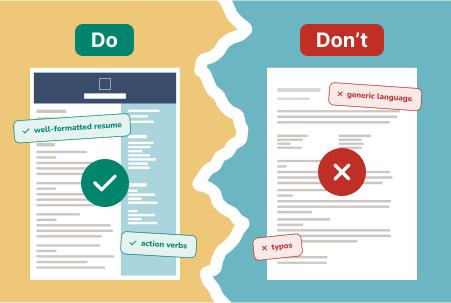
- Typos and grammatical errors: Spelling or grammar mistakes can make your resume look rushed or unprofessional. Always proofread carefully and consider having someone else review it before submitting.
- Poor formatting: Cluttered layouts, inconsistent fonts, and hard-to-read formatting can make it difficult for hiring managers to scan your resume. Stick to clean, simple formatting with professional resume fonts, clear section headings, and bullet points.
- Using a generic resume: Sending the same resume to every employer can hurt your chances. Each role is different—tailor your resume to highlight the skills and experiences that match the specific job description.
- Including irrelevant information: Personal details, outdated experience, or unrelated jobs can distract from your qualifications. Keep your content focused on what’s most relevant to the position you’re applying for.
- Making it too long: Recruiters spend seconds on an initial resume review. If your resume is too long or packed with unnecessary information, details may get overlooked. Aim for a one-page resume or a two-page resume, depending on your experience level.
- Listing duties instead of accomplishments: Don’t just describe your job responsibilities—highlight what you achieved. Use action verbs and include metrics when possible to show the impact of your work.
Proofreading & Finalizing Your Resume
Before sending out your resume, it’s essential to take the time to proofread and polish it. This attention to detail shows professionalism and can give you a valuable edge in a competitive job market.
Start by reviewing your resume line by line, checking for grammar, punctuation, and consistent formatting, including font sizes, bullet point styles, and date alignment. Reading your resume out loud can help you catch awkward phrasing or repeated words.
MyPerfectResume’s Resume Builder has a helpful spell-checking tool that scans your document and flags any mistakes. It’s also helpful to step away for a few hours (or even a day) and come back with fresh eyes. Better yet, ask a trusted friend, colleague, or career coach to review it.
Beyond the Resume: Writing Your Cover Letter
A well-written cover letter reinforces your resume and helps you stand out to hiring managers. It allows you to introduce yourself, express your interest in the role, and explain why you’re a great fit. It’s also an effective place to explain employment gaps and career changes.
Align your cover letter with your resume by highlighting the same key skills and experiences, but in a more personal, narrative format. Tailor it to the job by addressing the employer’s needs directly and showing how you can add value to their team.
Once you select the perfect template, you can use our Cover Letter Generator to make a compelling letter in a matter of minutes. You’ll get expert content suggestions tailored to your industry, role, and experience level.
Key Takeaways
- Your resume is your first impression on hiring managers—make it count by showcasing your qualifications clearly and professionally.
- Include all essential sections, like contact info, a strong summary, relevant work history, skills, and education. Include optional sections if they’re relevant to the position.
- Choose the right resume format based on your experience level and career goals to present your background in the best light.
- Tailor your resume for each job by using keywords from the job description and focusing on the most relevant accomplishments.
- Proofread carefully before submitting—small errors can cost you the interview, so double-check every detail and polish your final version.
- Pair your resume with a cover letter to introduce yourself, personalize your application, and show how you align with the role and company.
Frequently Asked Questions
How do I start writing a resume?
To start writing a resume, begin by gathering your contact information, work history, education, and key skills, so you have all your details in one place.
Next, choose a simple, ATS-friendly format, and structure your resume into clear sections like “Summary,” “Skills,” “Experience,” and “Education.” From there, focus on tailoring the content in each section to the job you’re applying for.
What is a good opening line for a resume?
A good opening line for a resume is a professional headline or the first sentence of your summary that highlights your job title, experience level, and strongest qualifications.
The goal is to immediately communicate your value and align your experience with the job you’re applying for. For example: “Results-driven marketing professional with 5+ years of experience in digital strategy and analytics.”
What are the five golden rules of resume writing?
The five golden rules of resume writing are to tailor your resume to the job, keep the format clear and professional, highlight achievements instead of just responsibilities, use relevant keywords, and proofread for errors.
Following these rules when you write your resume helps you showcase your qualifications and align with the expectations of employers in your industry.
How do I write a simple resume?
To write a simple resume, organize your content into clear sections, such as contact information, a professional summary, work experience, education, and key skills.
Use concise bullet points that highlight achievements rather than long descriptions. Keep the format clean with consistent fonts and spacing, and limit it to one page when possible.
Tailor your content to the specific job you’re applying for, and remove irrelevant details. Always proofread carefully to ensure it’s free of errors.
What are the seven basic steps to write a resume?
The seven basic steps to write a resume are to choose a format, add your contact information, write a summary or objective, include relevant skills, highlight your work experience, list your education, and add any supporting sections.
Tailor each section to the job you’re applying for by using relevant keywords, focusing on accomplishments, and keeping the formatting clear and easy to read.
What are the three C’s of a resume?
The three C’s of a resume are clarity, conciseness, and consistency. A clear, concise, and consistent resume is easy for employers to understand, focuses on the most relevant information without unnecessary details, and uses uniform formatting, language, and structure throughout.
Following these principles when you’re writing a resume helps you make a professional document that’s easy for both recruiters and ATS to review.
What does a good resume look like?
A good resume looks clean, well-organized, and easy to scan in under 30 seconds. It includes clear sections, such as contact information, a summary, skills, work experience with achievements, and education. It uses consistent formatting, simple fonts, and strong action verbs.
Most importantly, it’s tailored to the job, highlights measurable results, and is error-free, making it professional and highly readable for employers. Explore what a good resume looks like for more formatting and layout tips.
How far back should a resume go?
A resume should typically go back 10 to 15 years of relevant work experience, focusing on roles that support the job you’re applying for. Older experience can be shortened or removed unless it’s highly relevant or demonstrates important skills.
For early-career candidates, including all relevant experience is fine, but keeping your resume concise and focused ensures employers can quickly see your most valuable and recent qualifications.
Where can I make a resume for free?
You can make a resume for free using online resume builders, templates, or document tools.
MyPerfectResume’s Resume Builder can be used for free to create a professional resume with step-by-step prompts, expert insights, and content suggestions tailored to your experience. Upload your resume or start a new one, answer a few questions, and create a plain-text resume you can download for free.
How We Reviewed This Article
Since 2012, we have helped more than 11 million job seekers. We want to make your career journey accessible and manageable through our services and Career Center’s how-to guides and tips. In our commitment to bring you a transparent process, we present our Editorial Process.
Rate this article
How to Write a Resume


Elizabeth is a Certified Professional Resume Writer (CPRW) and a member of the Professional Association of Resume Writers & Career Coaches. She is committed to helping job seekers navigate the job market and succeed in their careers.
More Articles by Elizabeth Muenzen, CPRWShare this page
 Add MyPerfectResume as a preferred source on Google
Add
Our customers have been hired at:*Foot Note